Your accountant gets it automatically.
Sales invoices, credit notes, purchase invoices, contacts and payments synced live to QuickBooks, with nominal codes and tax rates mapped once.
Certified by QuickBooks.


Sales invoices, credit notes, purchase invoices, contacts and payments synced live to QuickBooks, with nominal codes and tax rates mapped once.
Certified by QuickBooks.
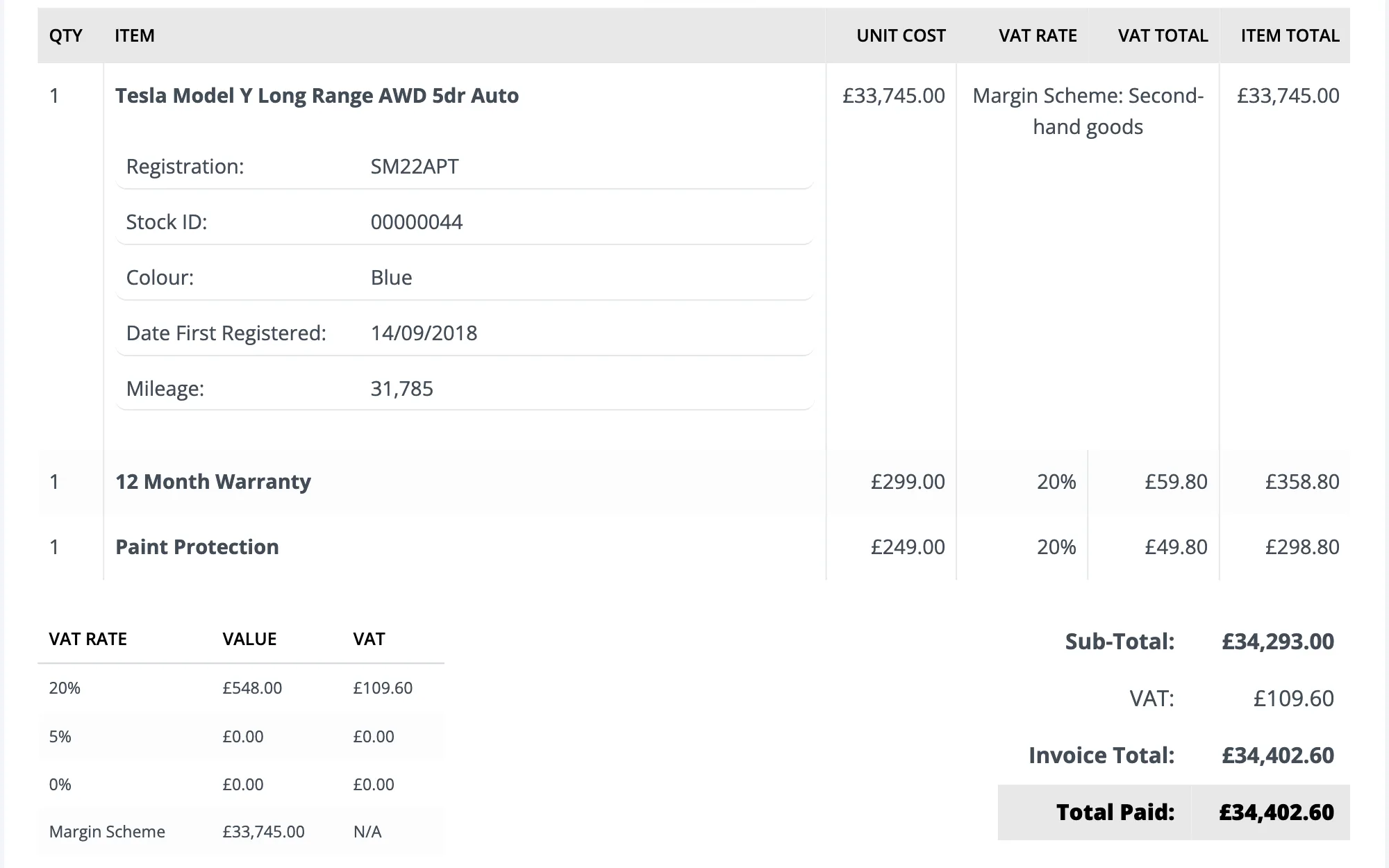
Margin scheme, VAT-qualifying or no VAT per vehicle - right on the invoice, and posted to QuickBooks as two lines the way your accountant expects, while the customer receives MotorDesk's separate compliant invoice.
Every VAT rate, per line.
Part-exchange settlements and negative equity posted to their own account, outside your revenue and VAT, back to zero when the finance company is paid.
Two purchase invoices handle the equity split automatically.
Synced, waiting or needs you - with View in QuickBooks and Re-Sync a click away, and an errors log for the rest. Temporary problems retry themselves.
The synchronisation status page.
Invoice, vehicle, margin vehicle, aftersale, reservation, purchase and vehicle purchase items mapped once; the finance settlement item is created for you.
Item-based mapping to match how QuickBooks works.
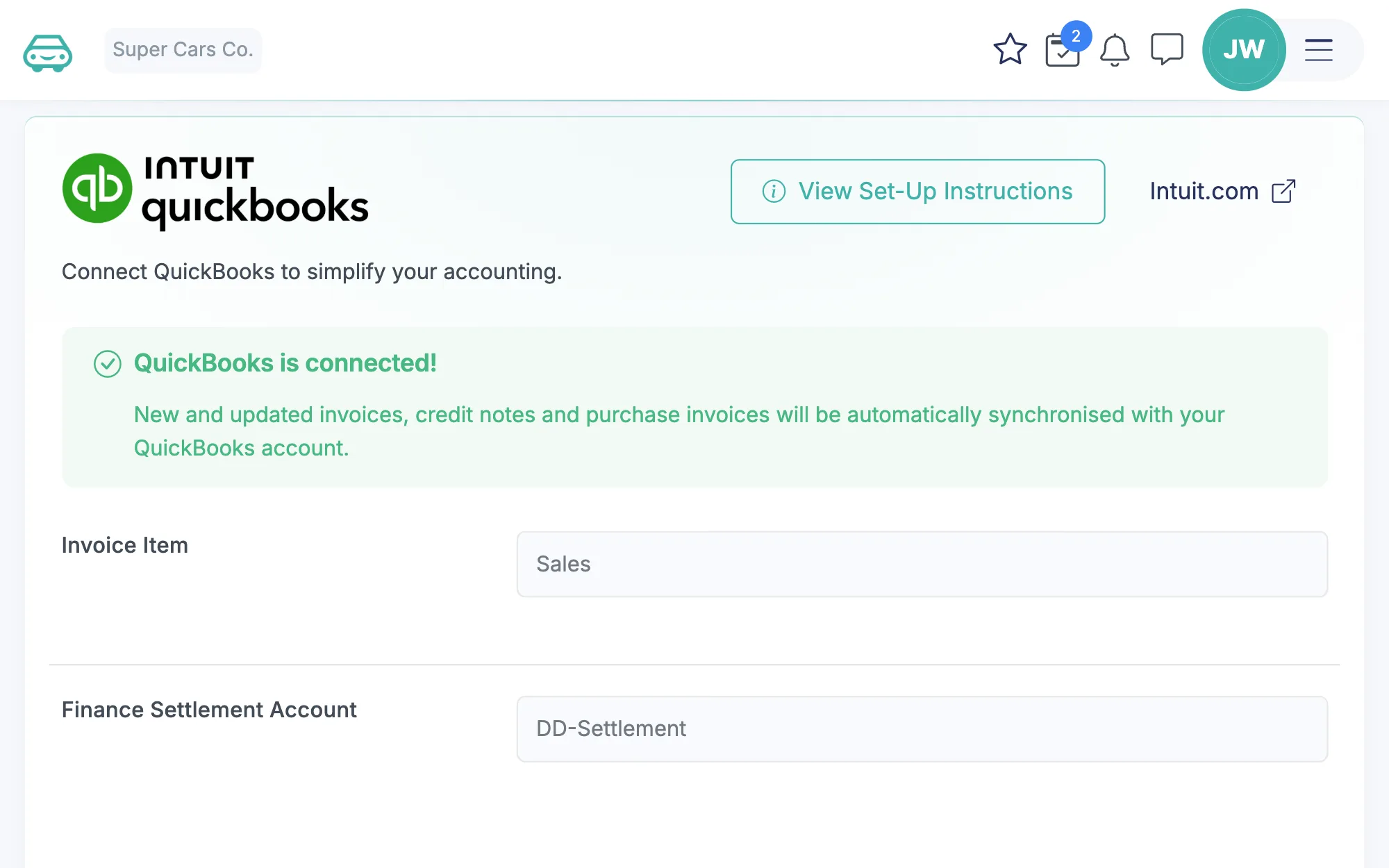
Connect QuickBooks Online with Log-In under Settings → Connections → Accounting.
Map your chart of accounts and tax rates once.
Synchronise All from a date to backfill, then every new document syncs live.
A sale closes; within seconds it is in QuickBooks, coded, with the margin VAT right and the part-exchange settled to its own account.

“By far the best and most user friendly DMS we have used to date.”
Mike Cowap, MSC Motors, Stoke-on-Trent ·

“Way ahead of its competitors - we sell cars online, Cazoo style”
Richard Norris, Drive Green, the UK's largest EV specialist ·
Yes. MotorDesk is the only car dealer software certified by Xero, QuickBooks and Sage.
QuickBooks Online.
As two lines per margin-scheme sale against the items you map, so the VAT is right in QuickBooks as well as on the invoice.
Try every feature free for 30 days. No payment details, no contract.
 5.0
Google Reviews
 5.0
On Google Play
 5.0
App store
 5.0
On Capterra
 Winner
 Winner
 Finalist
 Finalist
 Finalist
 Finalist
 Finalist