Skip to content
Buying & Appraisals

Vehicle appraisal software - buy better, from part-exchange to auction.

Vehicle appraisal software for the buying side of the dealership. Appraise a part-exchange on your website or on your phone on the forecourt. Make an offer with your margin protected, check the history before you pay, and when the deal is agreed the car lands in stock with everything already filled in. Car dealer software for the connected dealership.

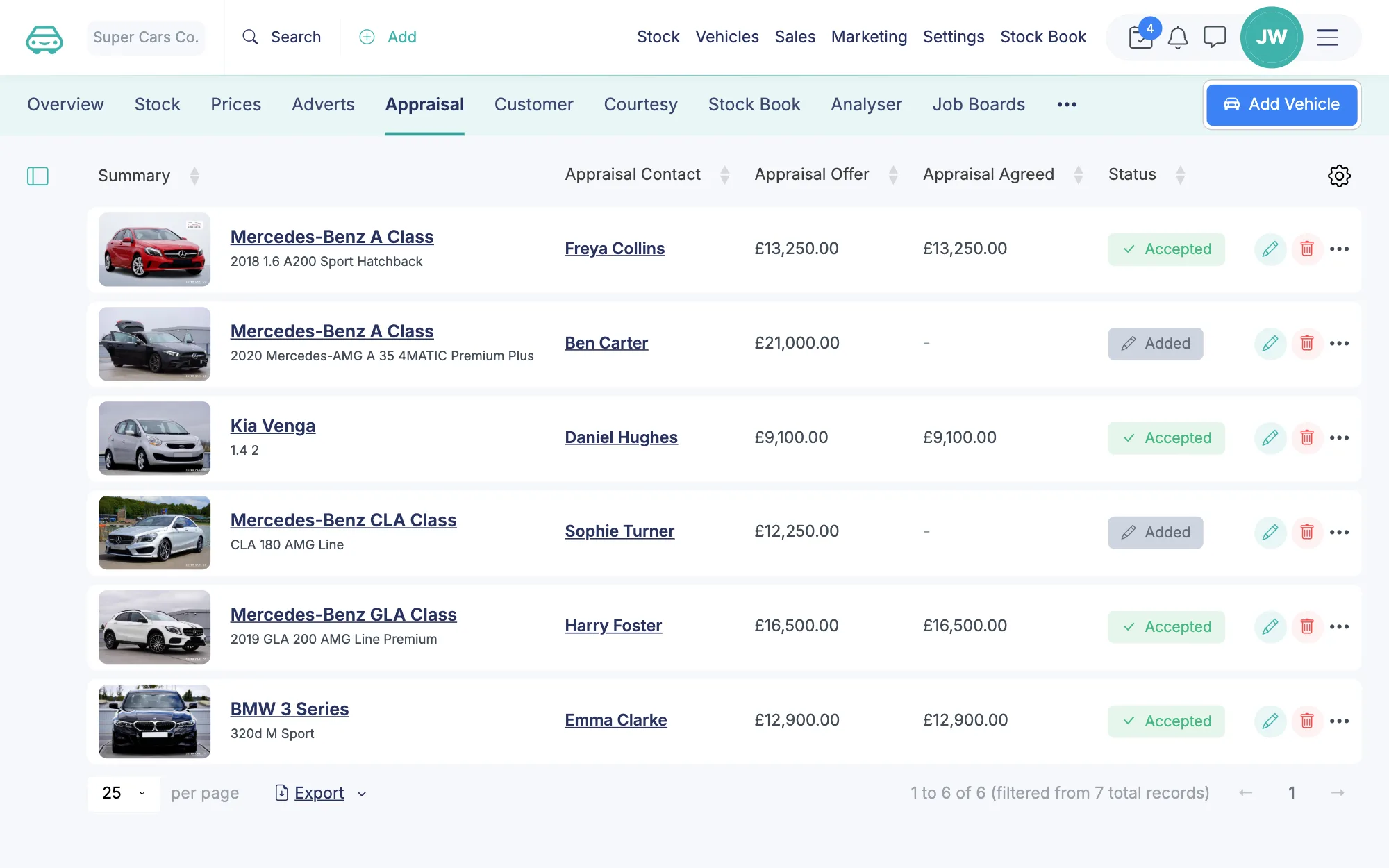
Vehicle appraisal software: the appraisals list with each offer, agreed price and status

The vehicle appraisal tool - a registration in, a complete acquisition file out.

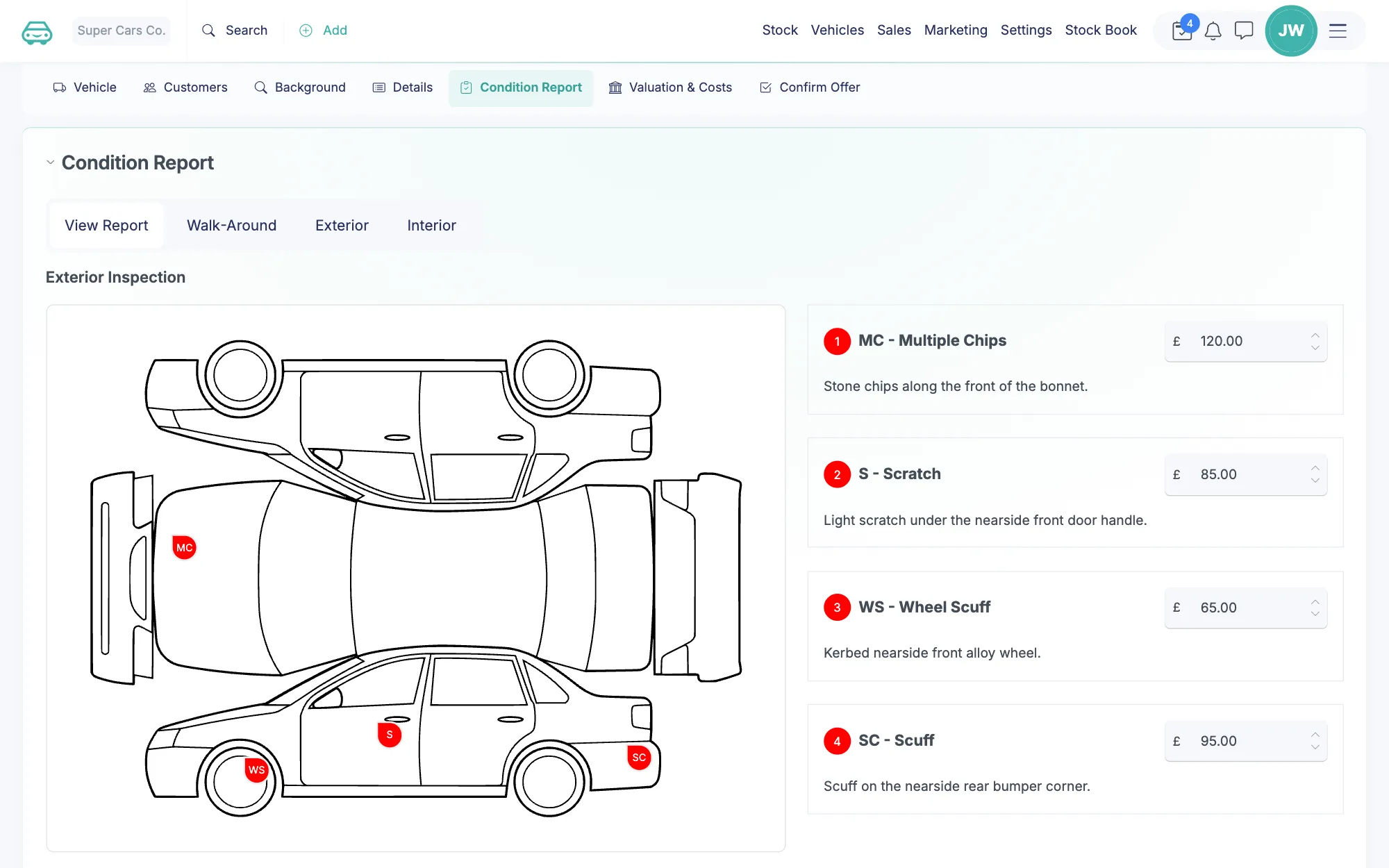
Add the registration and the vehicle, its specification, any optional extras, its history and MOT record, and a market valuation are retrieved. Then build the file: walk-around photos and a splat diagram for every mark, each with a cost to put right; preparation tasks; the customer and any outstanding finance; and a recommended offer worked out from the valuation, your price position and your desired margin. A quick assessment in a minute, or a complete acquisition appraisal - the same tool, on your desk or your phone.

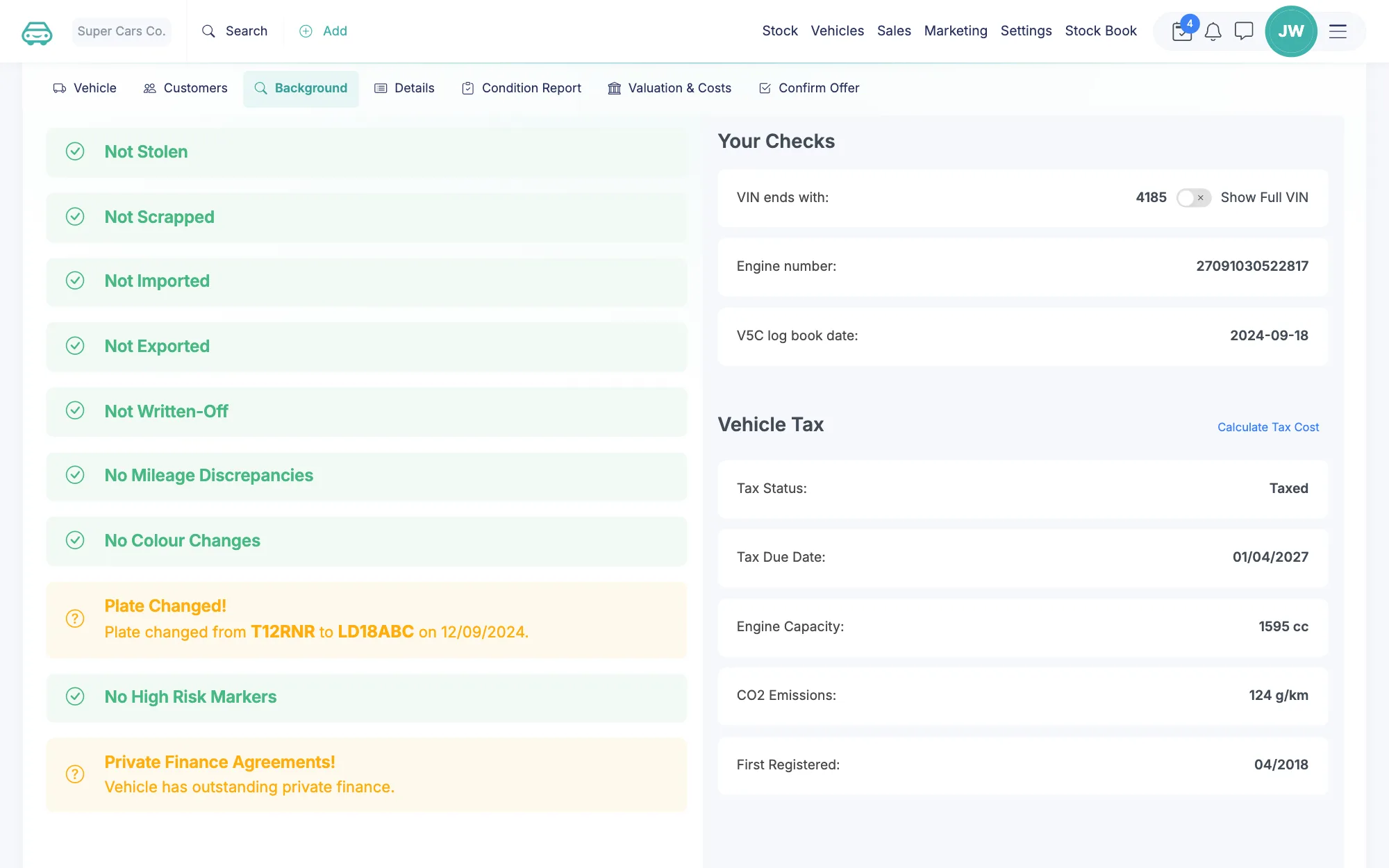
A vehicle history check: stolen, scrapped, write-off and mileage checks, with a plate change and private finance

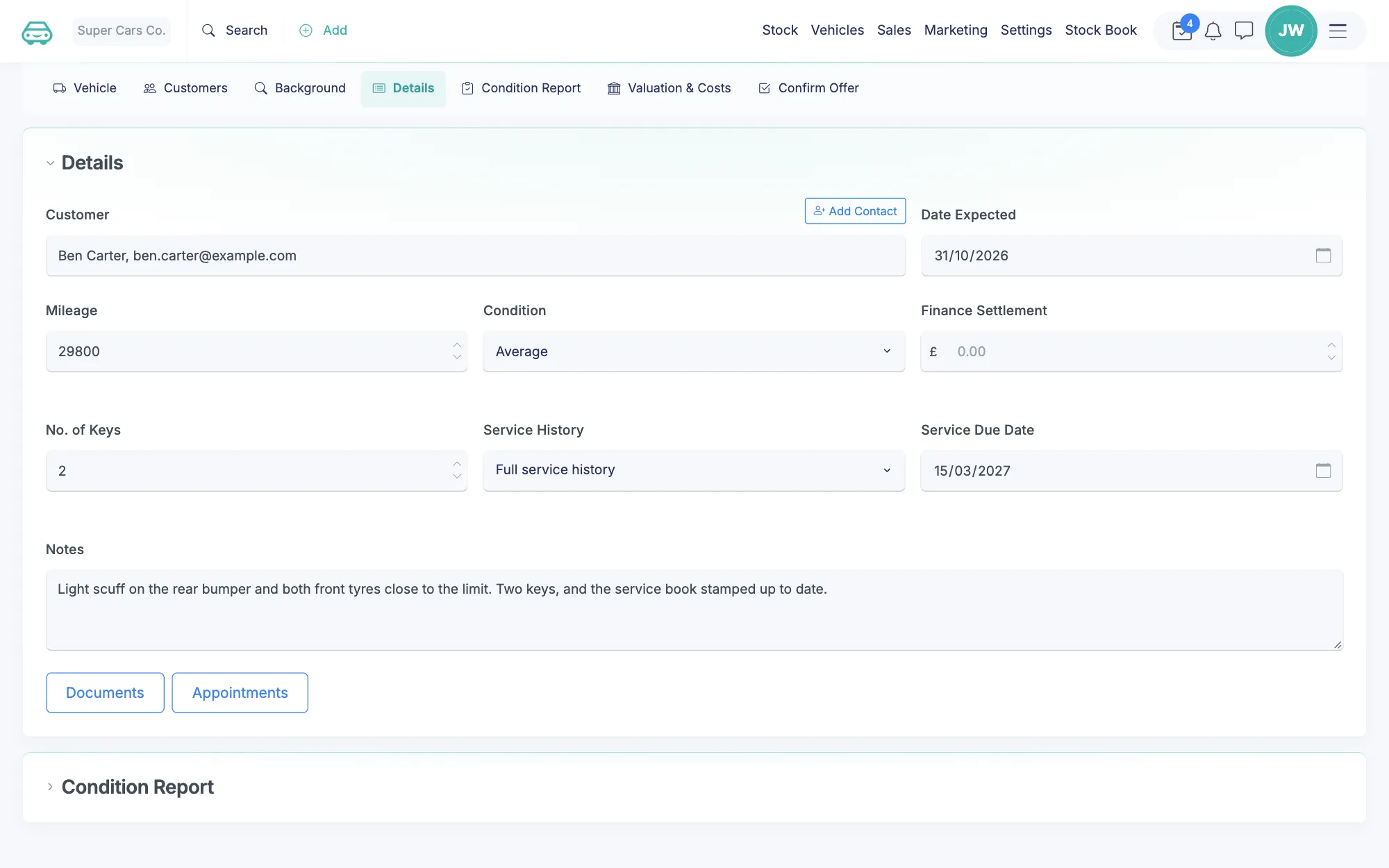
Vehicle, Background, Details, Condition Report, Valuations & Costs, Confirm Offer - six sections, one record.

An offer trail, not a guess.

Showroom staff record the car; your buyer values it and sets the offer and a maximum. Staff negotiate up to the maximum and no further - an agreed price above it cannot be accepted. Email the offer with an expiry, accept or decline, every step recorded; when it's agreed the car goes into stock with everything carried across.

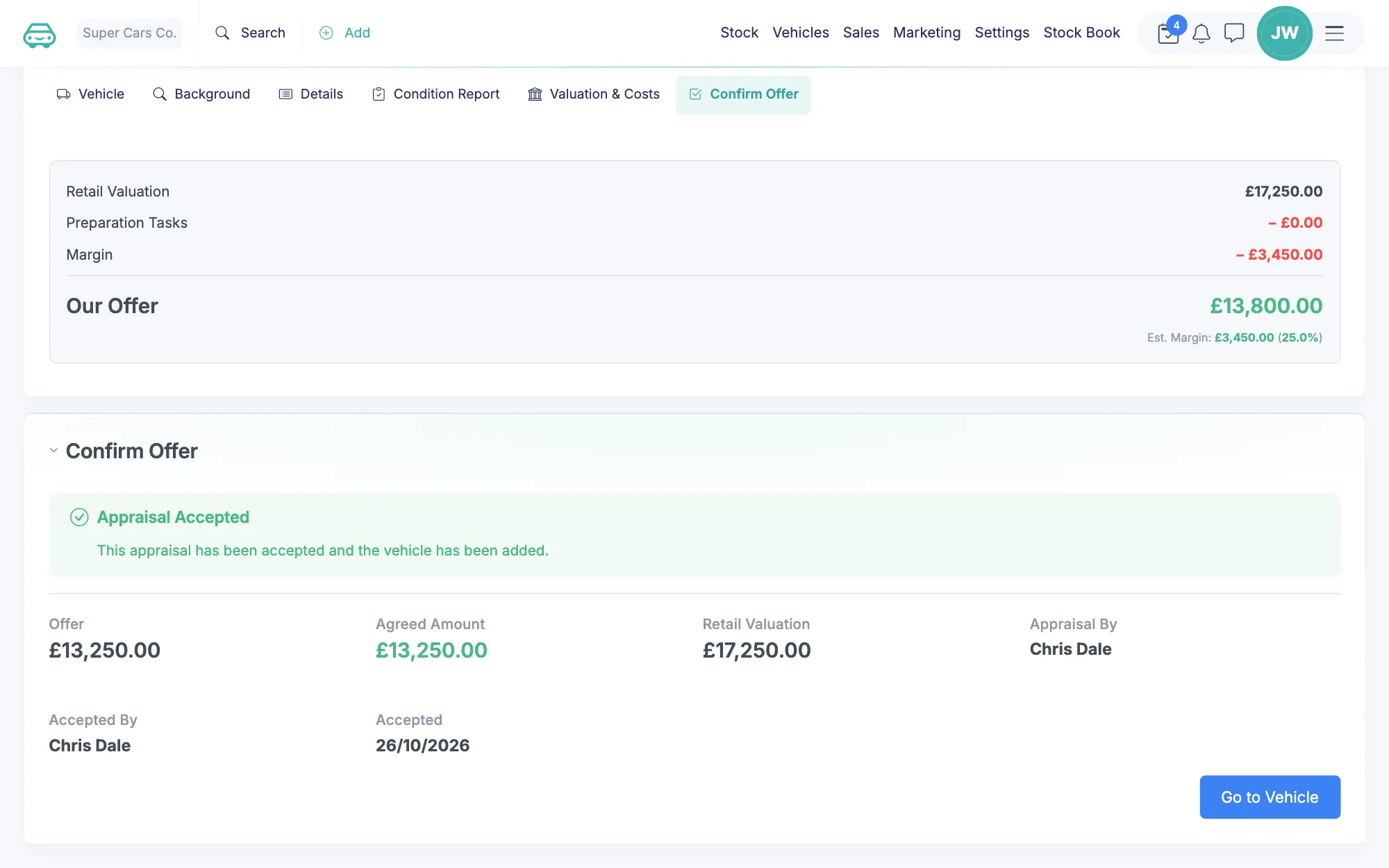
An appraisal's offer confirmed, with the agreed amount and retail valuation

A pre-approved maximum for the negotiation, an expiry on every offer, and one click from accepted to stock.

Your margin protected before you commit.

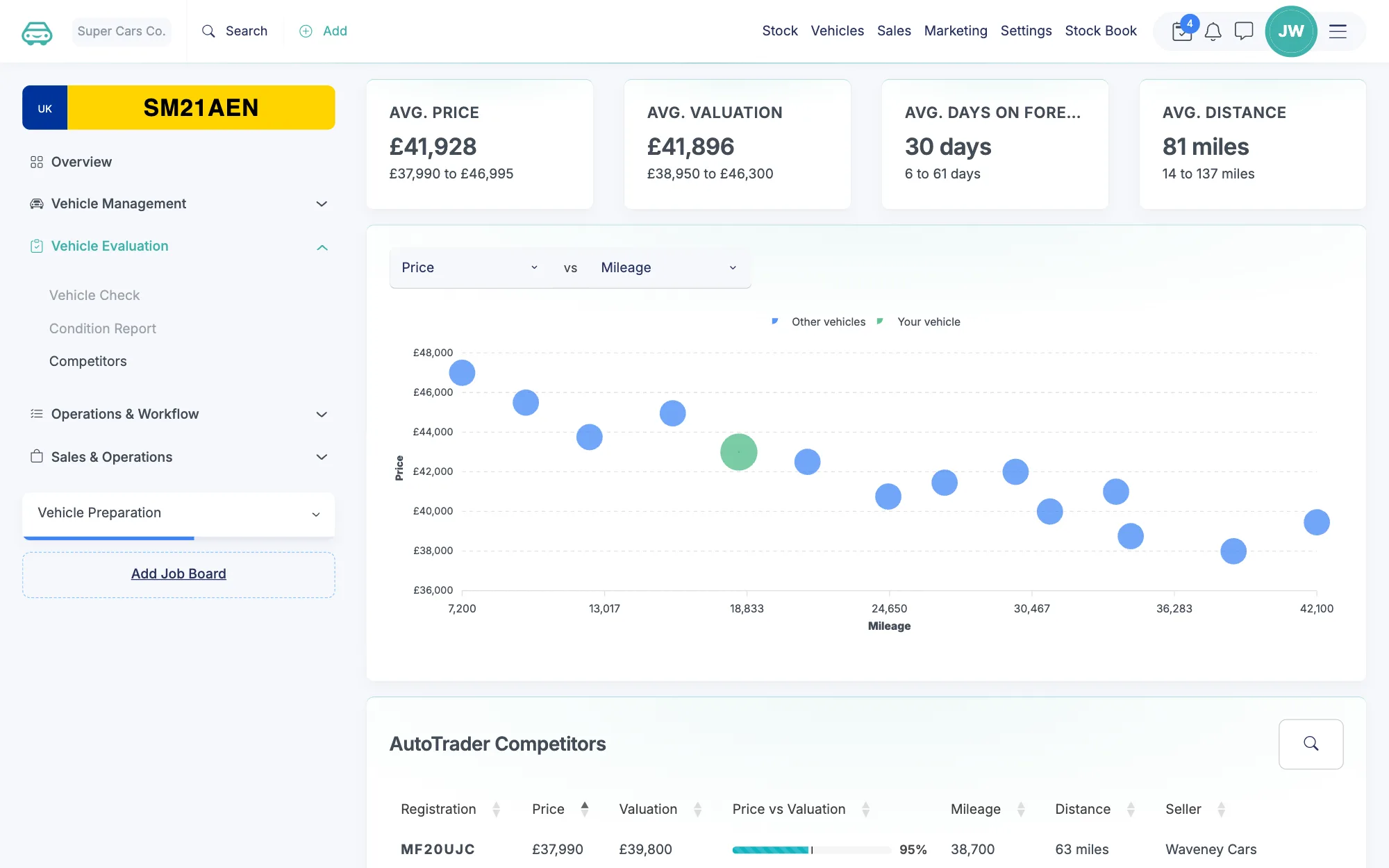
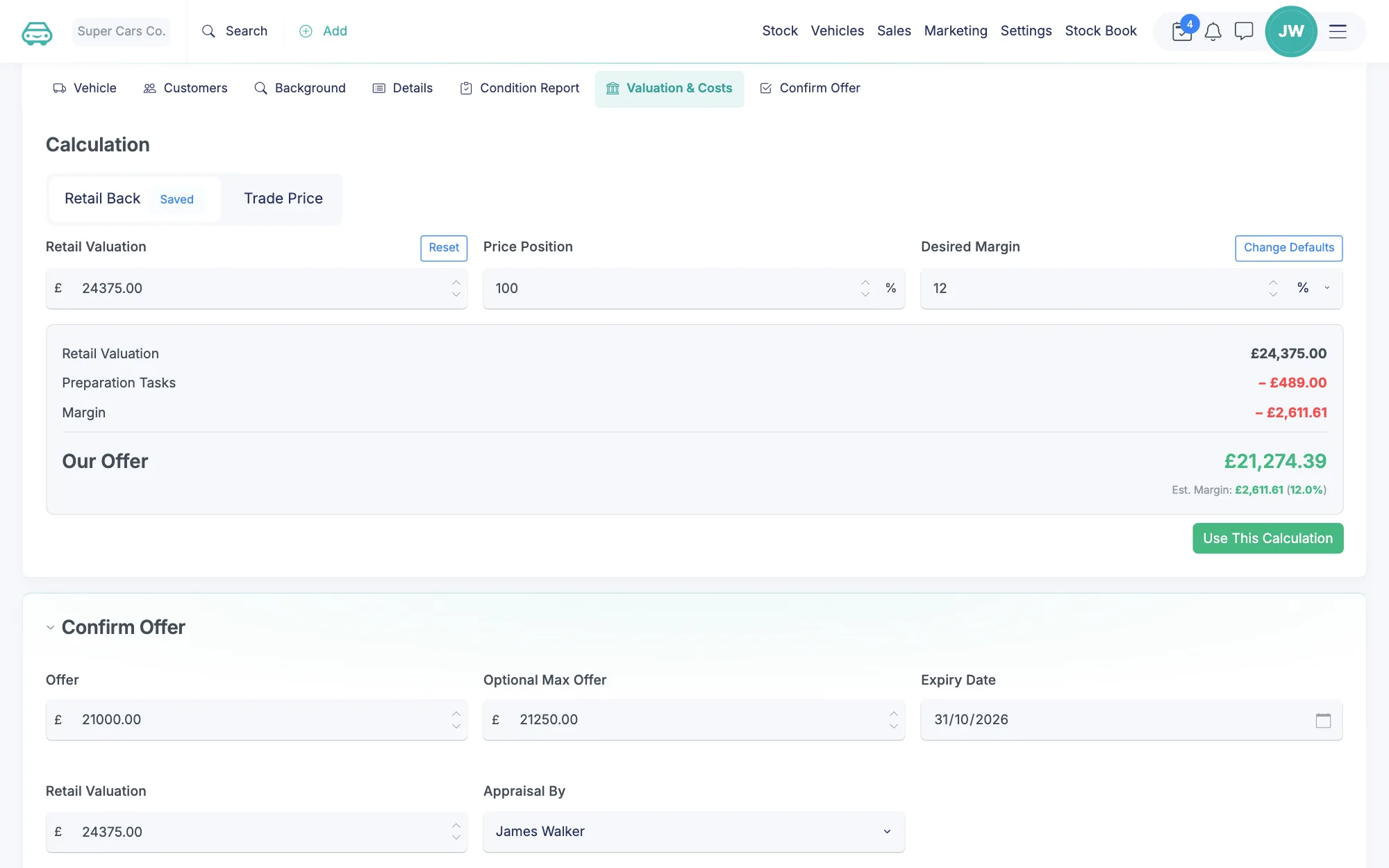
A valuation on every appraisal. Your desired margin by amount or percentage, a minimum margin applied automatically, preparation tasks costed before you make the offer, and the finance settlement and any negative equity worked out for you.

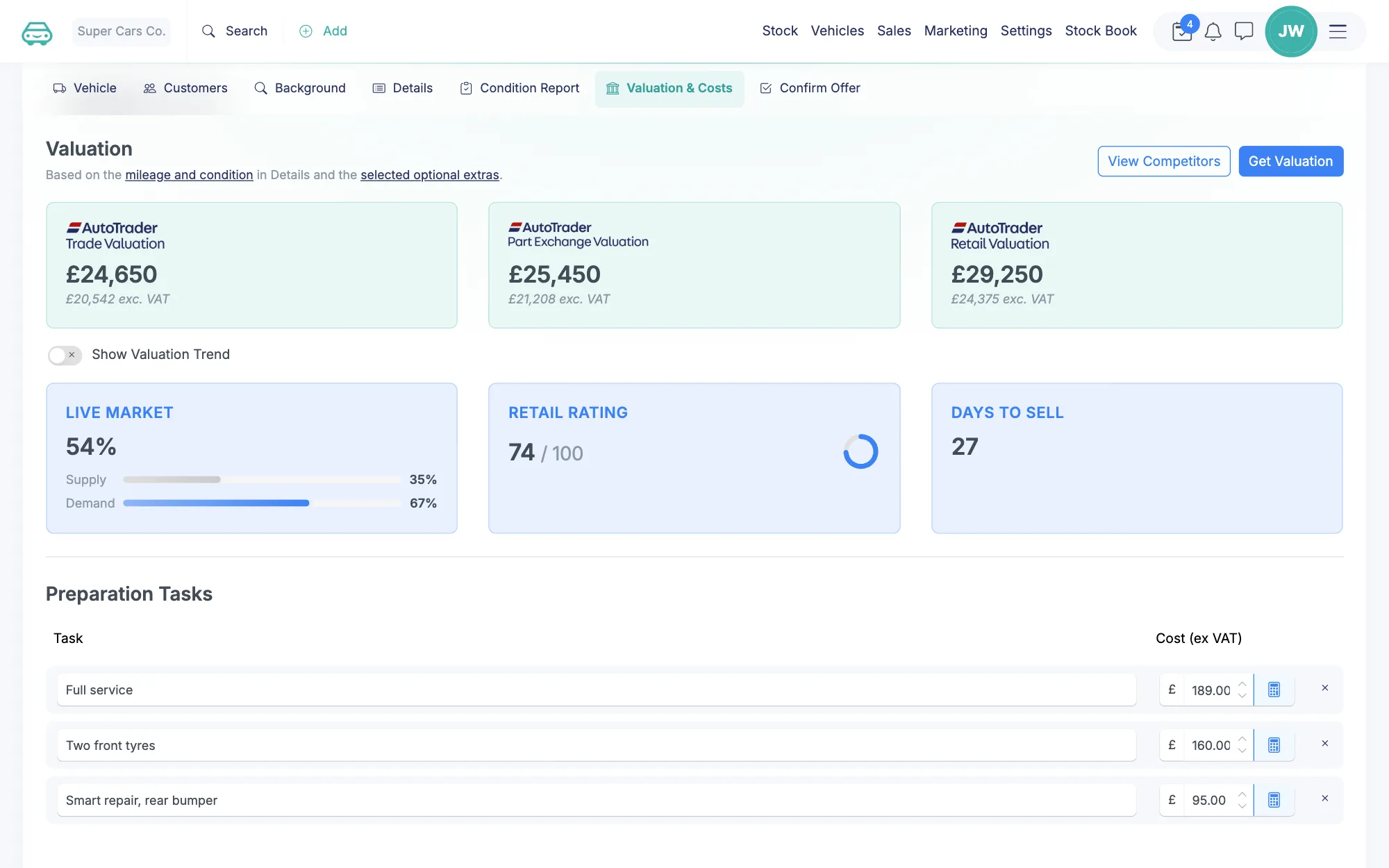
An appraisal's AutoTrader valuations, live market, retail rating and preparation tasks

Valuation, desired margin and a minimum-margin floor on every appraisal.

Analyse the auction catalogue before the sale starts.

Add the registrations or upload the auction's spreadsheet, add cost, mileage and condition, and see profit, profit per day, ROI, target buy price, days to sell and demand for every lot - with your monthly cost per forecourt space in the sums. It gives the car-buying side of the dealership a consistent way to decide what each vehicle is worth before bidding starts.

Profit is retail minus cost minus your space; the target price is the most you should pay.
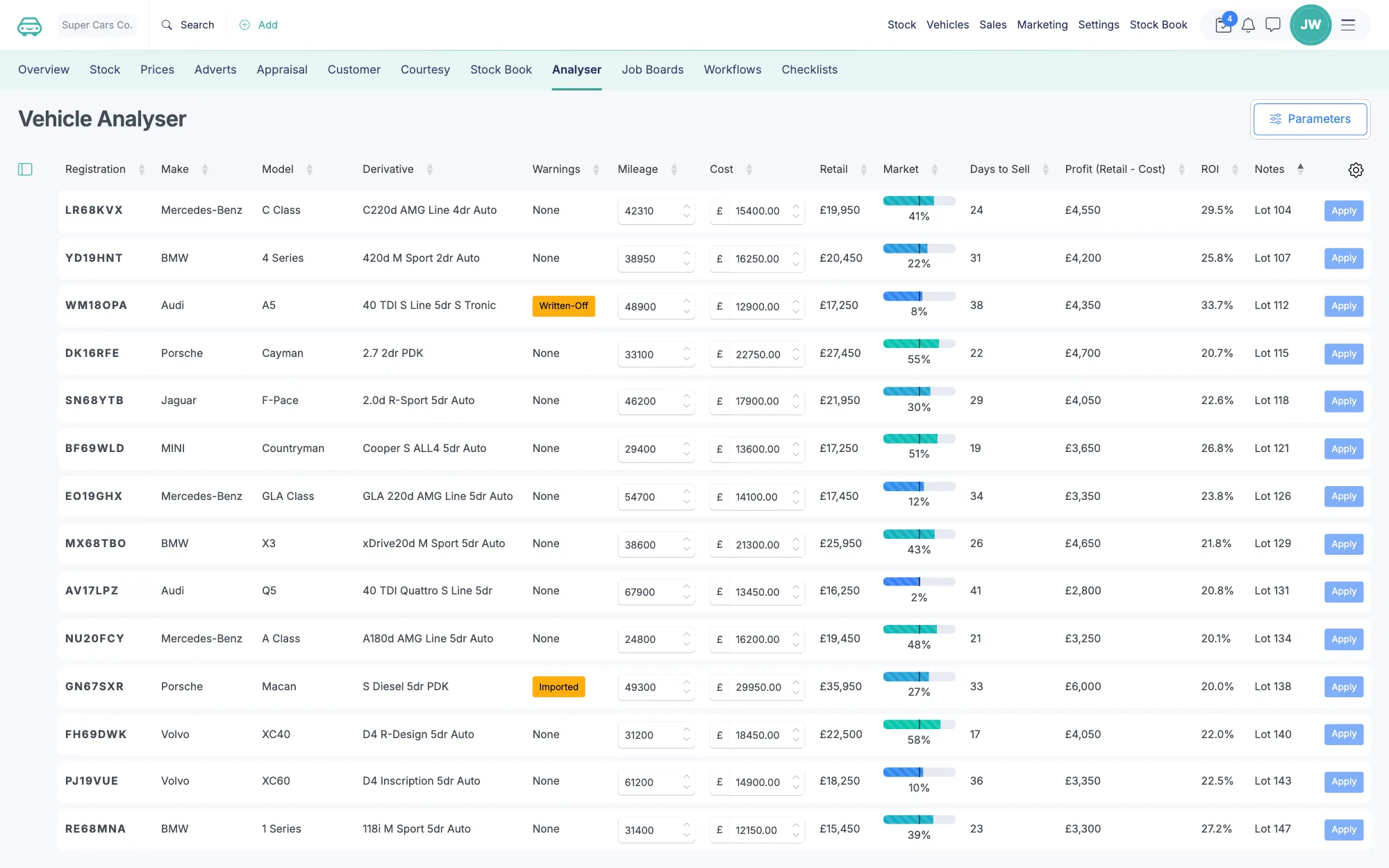
The auction catalogue analyser: each lot's retail value, price, profit and return

Buy direct from the public.

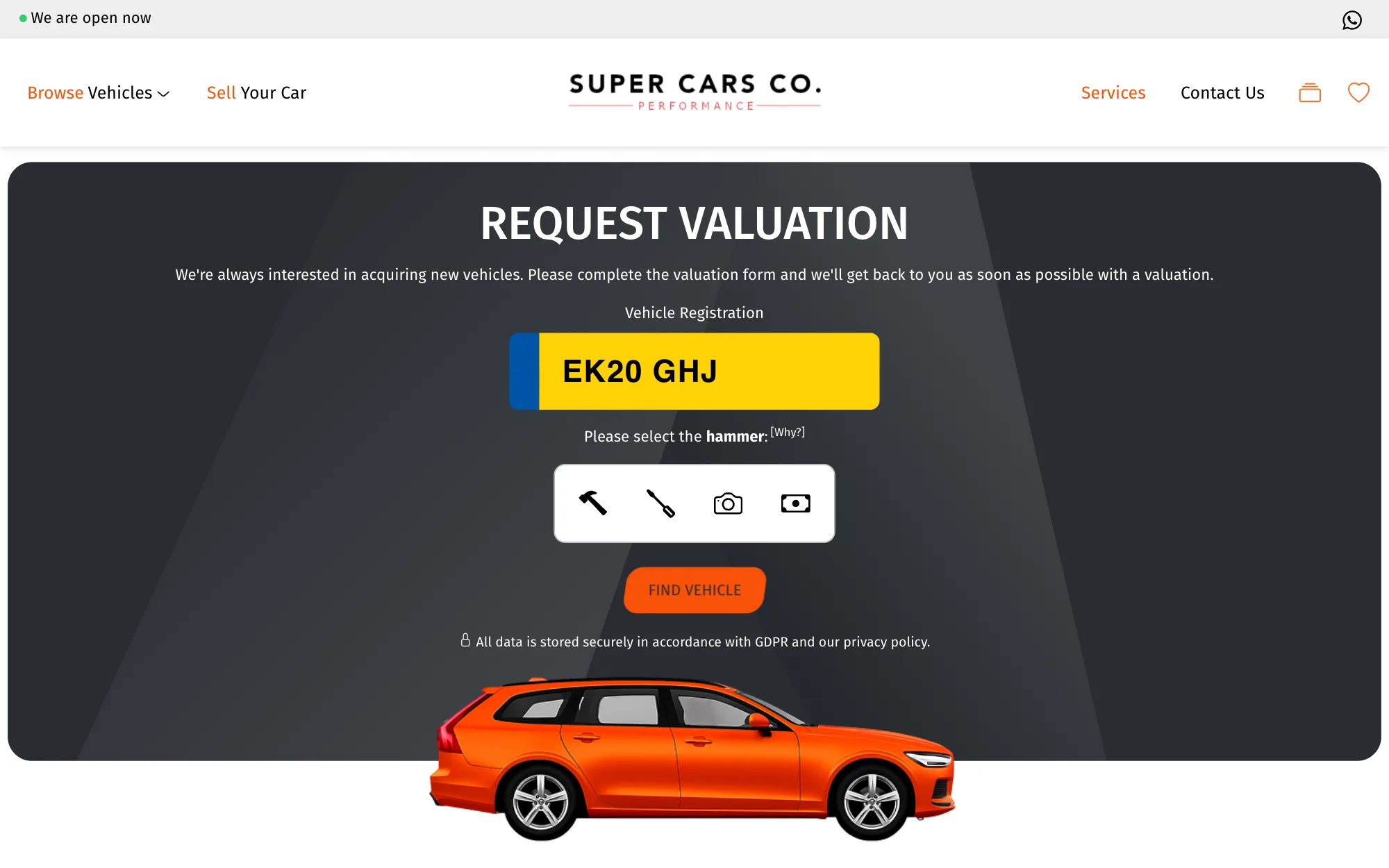
A "we buy your car" website of your own, on its own domain, taking valuations that feed straight into appraisals. Valuation and part-exchange forms on your main site arrive as leads with the car already looked up. Source-a-vehicle requests stay open until you've found it.

The buying website is an add-on with no stock search - built to attract sellers, not buyers.

A we buy your car website: the dealer's Request Valuation page

From appraisal to accounts on one record.

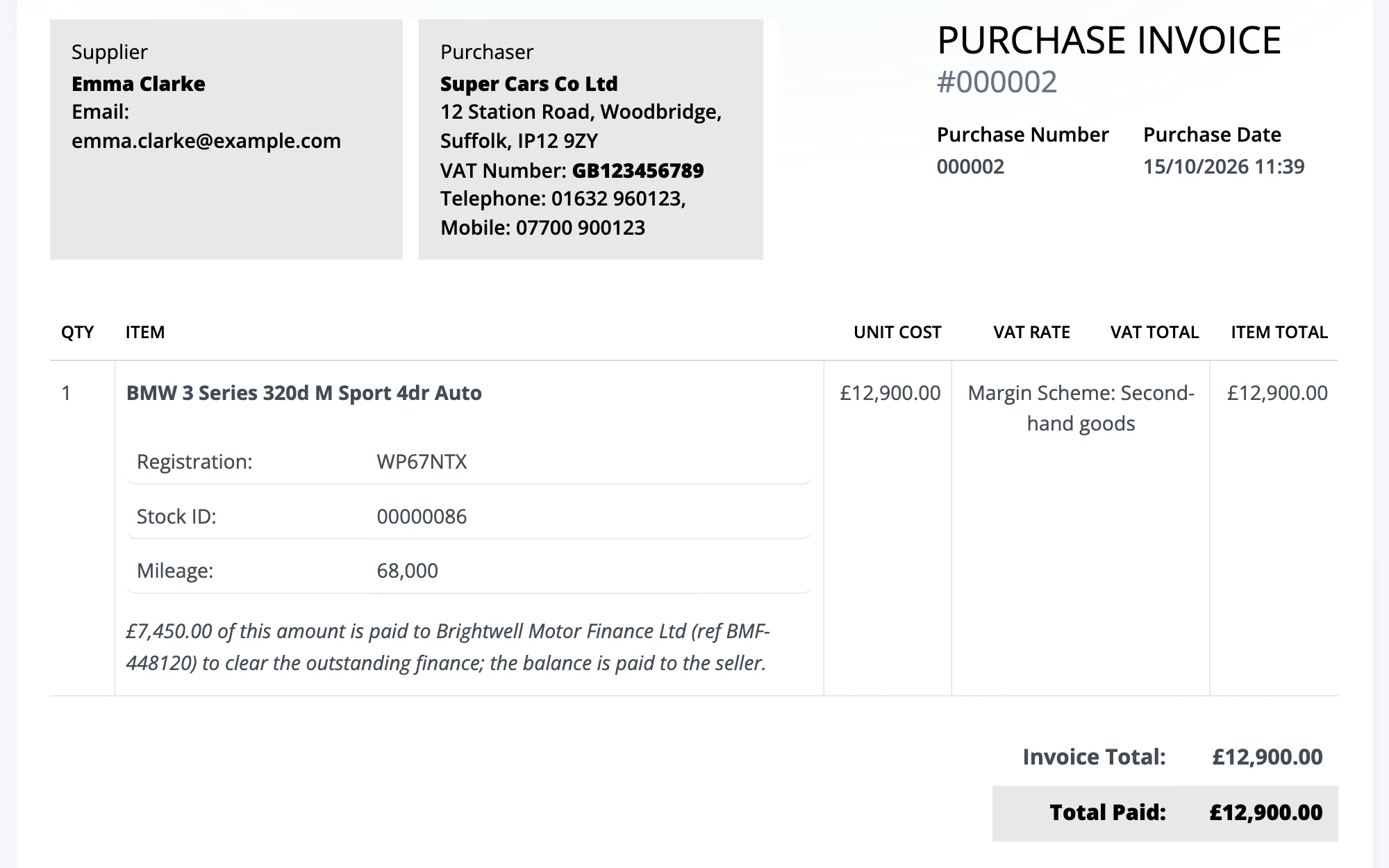
The appraisal becomes the purchase invoice, the stock record and the entry in your accounts, with the finance settlement posted to its own account. Elsewhere it's a form, then a spreadsheet, then someone re-typing it into the DMS. That's the difference between an appraisal app and a connected dealership ecosystem.

One appraisal · One purchase invoice · One stock record · One set of accounts

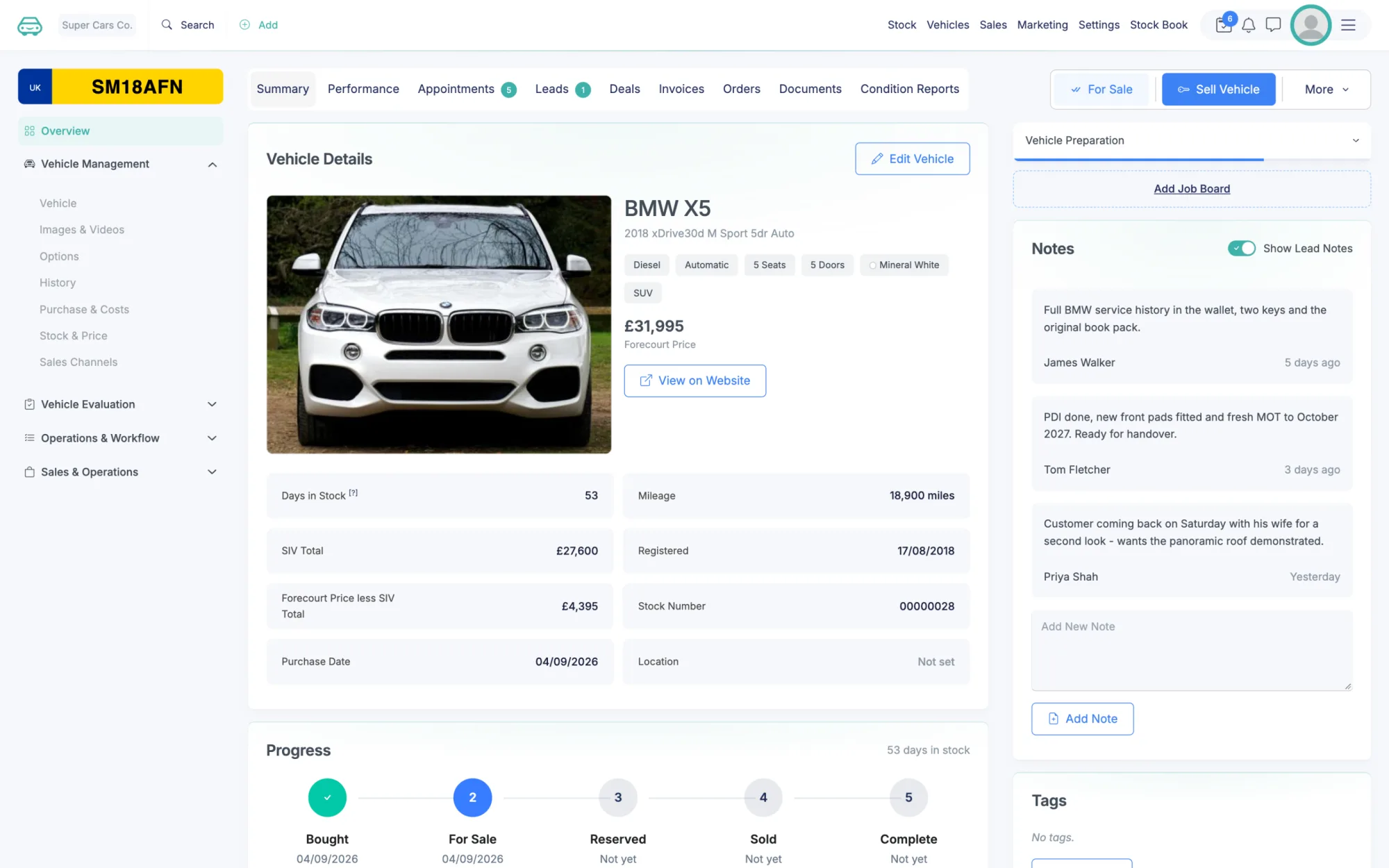
A car's record: its details, price, days in stock, notes and progress from bought to sold

The vehicle appraisal, card by card

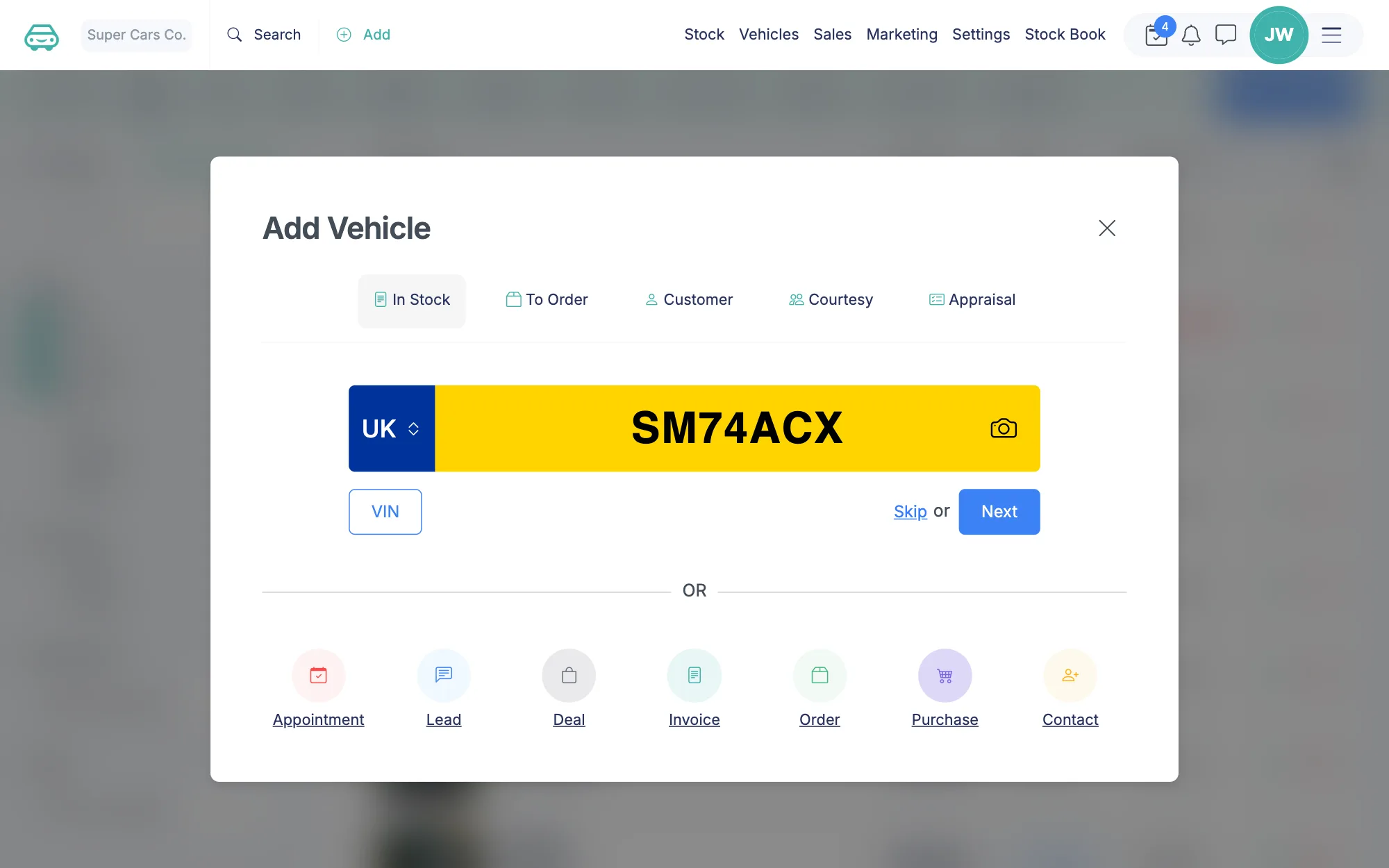
Add Vehicle: a registration typed in, ready to look up

Vehicle appraisal features that make the difference.

Expiring offers

The emailed offer carries a date. After it, the price is off the table.

The part-exchange and settlement purchase invoices

Settlement and negative equity

Outstanding finance on the appraisal; the settlement and any shortfall carried into the deal and posted to its own account.

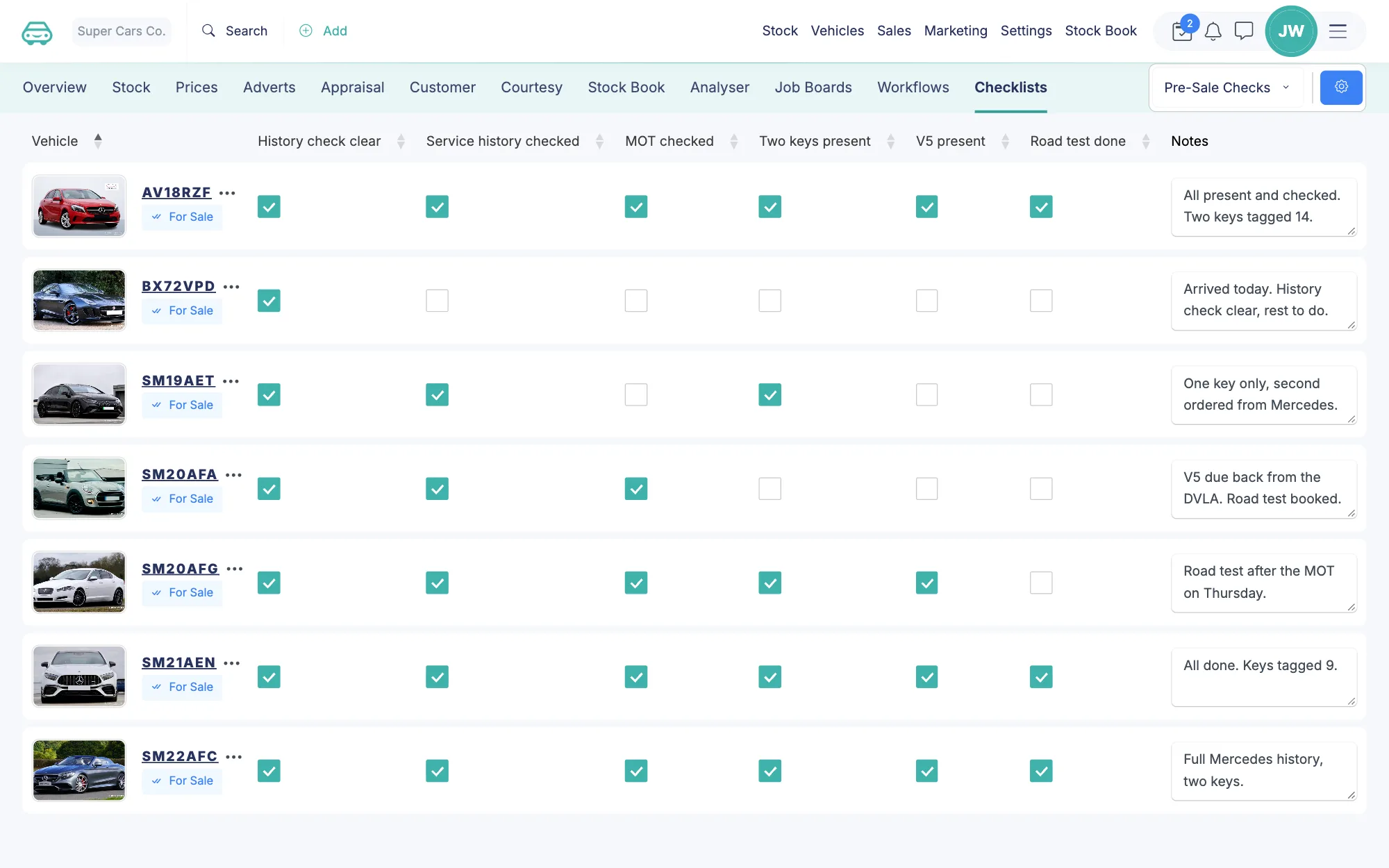
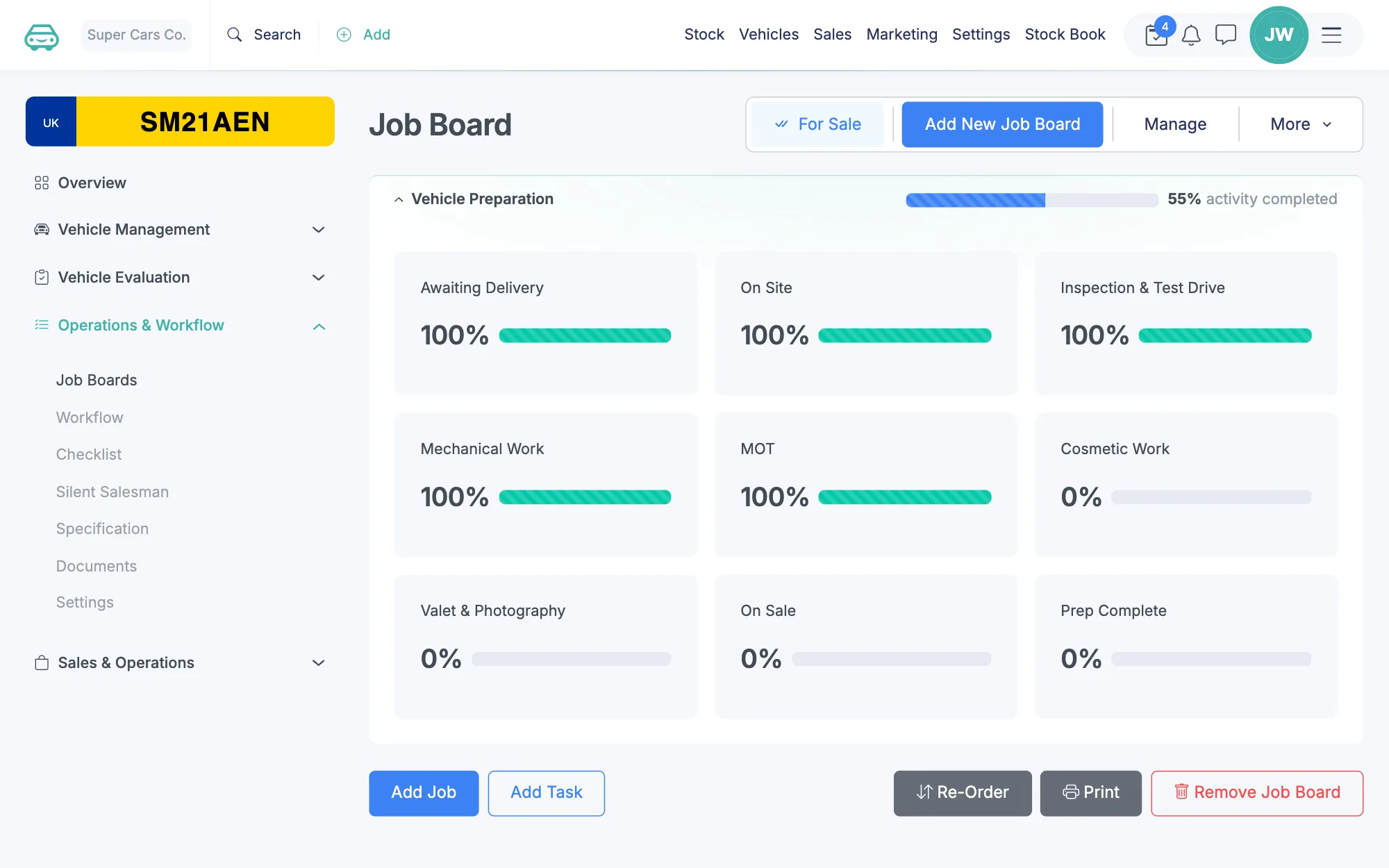
The preparation checklists overview

Preparation costed up front

Valet, MOT, paint, tyres - tasks with costs on the appraisal before you commit, every mark from the condition report already in the list.

Into the workshop

Accepted appraisals arrive in stock as a draft with their preparation tasks attached; add them to a job board and the service providers are notified.

An appraisal offer worked out from the retail valuation

Minimum margin applied

Set the floor once; every offer respects it.

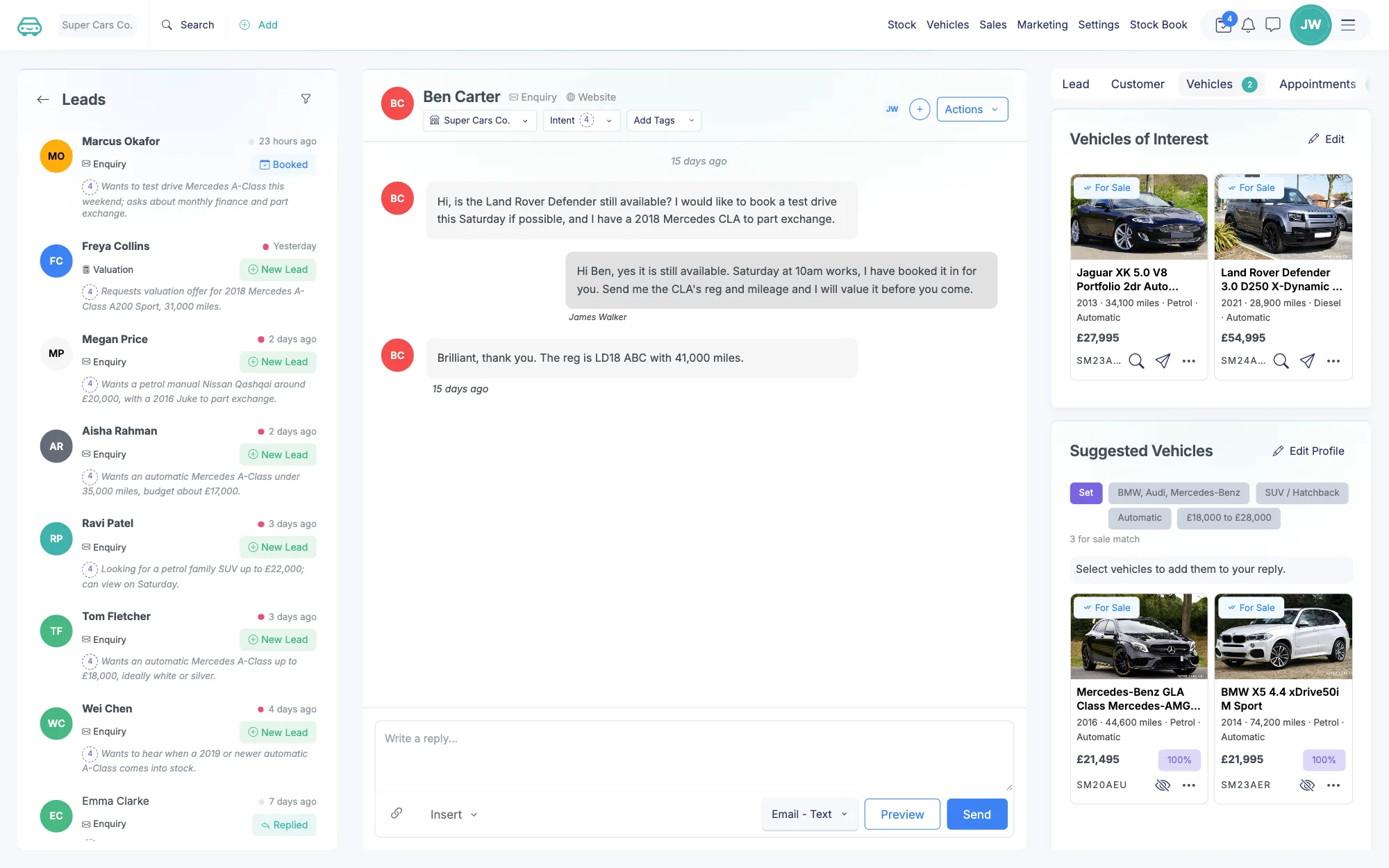
The leads inbox: enquiries from every channel, a conversation and the cars the customer viewed

From lead to appraisal

A valuation enquiry becomes an appraisal with the customer, the car and the conversation attached.

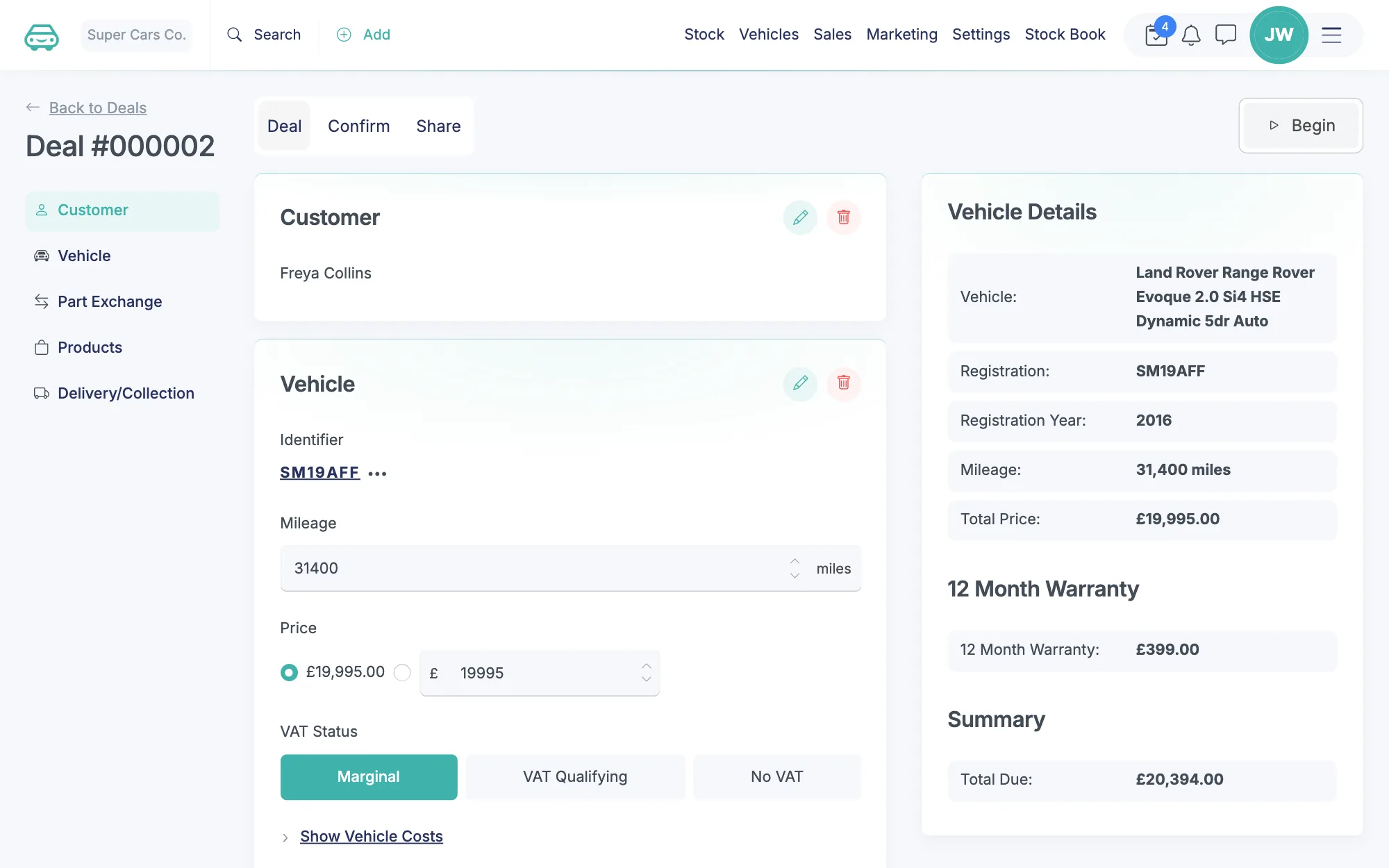
A deal in MotorDesk

Part-exchange in the deal

The appraisal sits inside the sale, with the settlement in the numbers.

Part-exchange on the checkout

Customers enter their own car when they reserve or buy online.

Every vehicle type

Cars, bikes, vans, trucks, motorhomes, caravans and plant - each with its own fields.

Appraisal events in the API

Offered, accepted, declined and reopened - as webhooks, for whatever you run alongside.

Analyser parameters, yours

Default margin, forecourt spaces and monthly costs set once; every catalogue judged the same way.

Next Page

Prep & Workshop

Explore Prep & Workshop
FAQ

Vehicle appraisal software questions

What is vehicle appraisal software?

Software that records a car you might buy - its details, history, condition and valuation - and turns that into an offer, a purchase and a stock record. In MotorDesk the appraisal is one record from the first photo to your accounts, whether it started on your website, in a deal or on the forecourt.

How does a part exchange appraisal work in MotorDesk?

Add the registration and the Appraisal tool retrieves the car, its specification, its history and a market valuation. Record the condition on the splat diagrams with a cost against each mark, add the preparation tasks and any outstanding finance, and the calculation gives you a recommended offer from the valuation, your price position and your desired margin. Set the offer and a maximum, email it with an expiry, and when it's accepted the car goes into stock with everything carried across.

Can customers value their own car on my website?

Yes. Valuation and part-exchange forms on your main website arrive as leads with the car already looked up, customers can enter a part-exchange on the online checkout, and a dedicated buying website on its own domain is available as an add-on.

What is the Vehicle Analyser?

An auction catalogue analyser. Paste registrations or upload a spreadsheet with cost, mileage and condition, and it returns profit, profit per day, ROI, a target buy price, days to sell and demand for each vehicle, using your own margin and forecourt-space costs. Ask us to switch it on for your account.

Can MotorDesk be used for buying cars at auction and directly from the public?

Yes. The Vehicle Analyser helps assess auction lots before bidding, while a dedicated "we buy your car" website and valuation forms can bring seller enquiries straight into the appraisal workflow. Both routes feed into the same appraisal, offer and stock process.

Is there a car appraisal app?

Yes - the iPhone and Android apps appraise a car on the forecourt: photograph the plate, record the condition, check the history and make the offer from your phone.

Does the appraisal check the car's history?

Yes. MotorCheck runs on the appraisal itself - finance, write-offs, mileage and keeper history - so you know before you pay, not after.

What happens to the appraisal when I buy the car?

The purchase invoice is raised from it, the car goes into stock with the photos, history, costs and customer carried across, and the purchase and any finance settlement post to Xero, QuickBooks or Sage.

Buy your next car with the margin already protected.

Try the whole platform free for 30 days. No payment details, no contract.

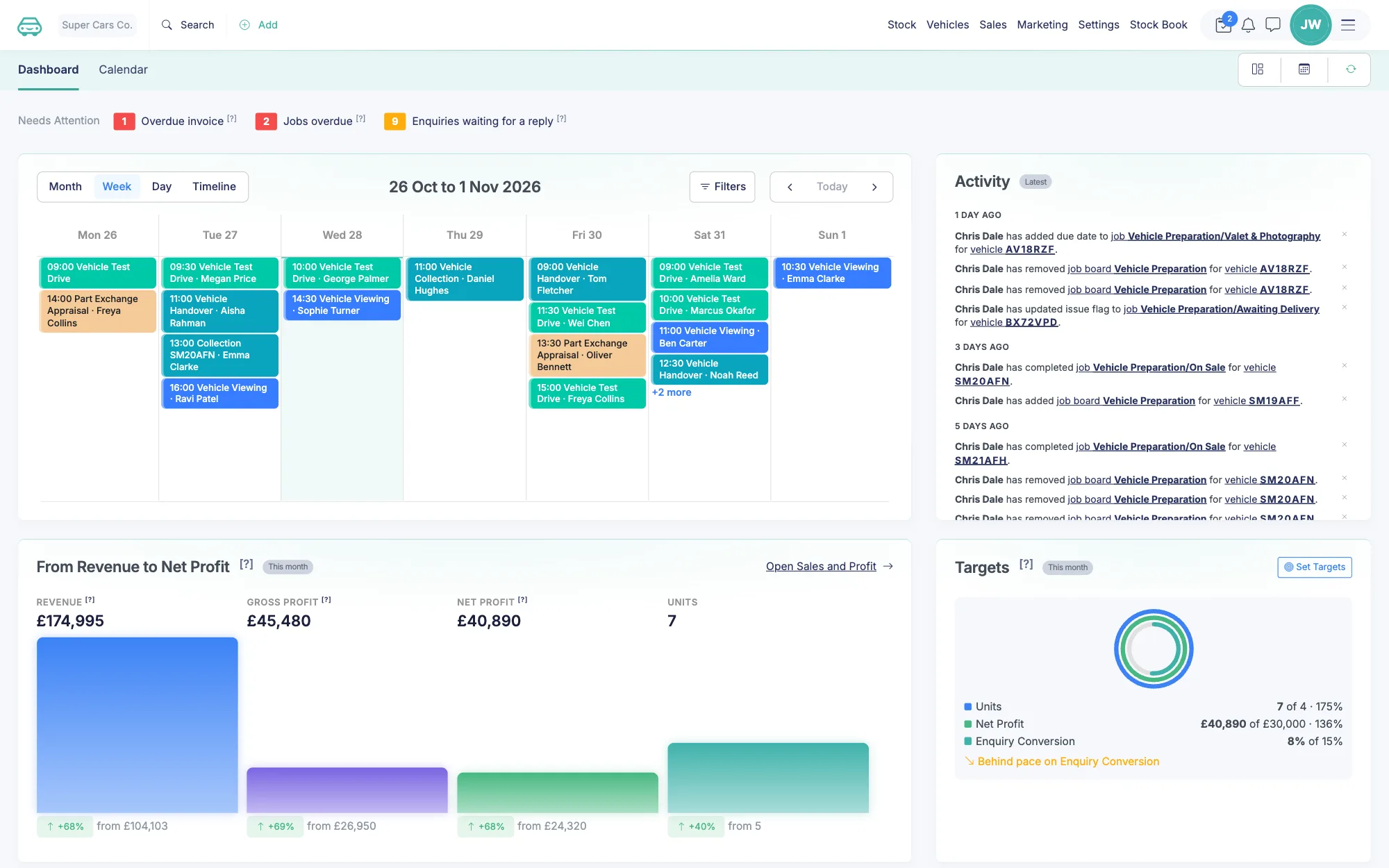
The dealer management system dashboard: the week's diary, activity, revenue to net profit and targets
  • 5.0 Google Reviews
  • 5.0 On Google Play
  • 5.0 App store
  • 5.0 On Capterra
  • EADT Business Awards 2026 - winner, Small Business of the Year Winner
  • AWS Well-Architected Awards 2024 - winner, Most Improved Architecture Winner
  • UK Business Tech Awards 2026 - finalist, SaaS Company of the Year Finalist
  • Motor Trader Independent Dealer Awards 2026 - finalist, IT Innovation of the Year Finalist
  • Motor Trader Commercial Industry Awards 2026 - finalist, IT Innovation of the Year Finalist
  • Motor Trader Independent Dealer Awards 2025 - finalist, IT Innovation of the Year Finalist
  • Motor Trader Independent Dealer Awards 2024 - finalist, IT Innovation of the Year Finalist
Call us 01473 598 100