Skip to content
Team, Support & Platform

The car dealership platform - your structure, your team, your data, and us.

One login for every business, brand and branch, with permissions tailored to how you organise your dealership, a UK-based team who built the software a click away, a migration that keeps your history, and data that's yours to take. Everything beyond the features that makes a connected dealership work.

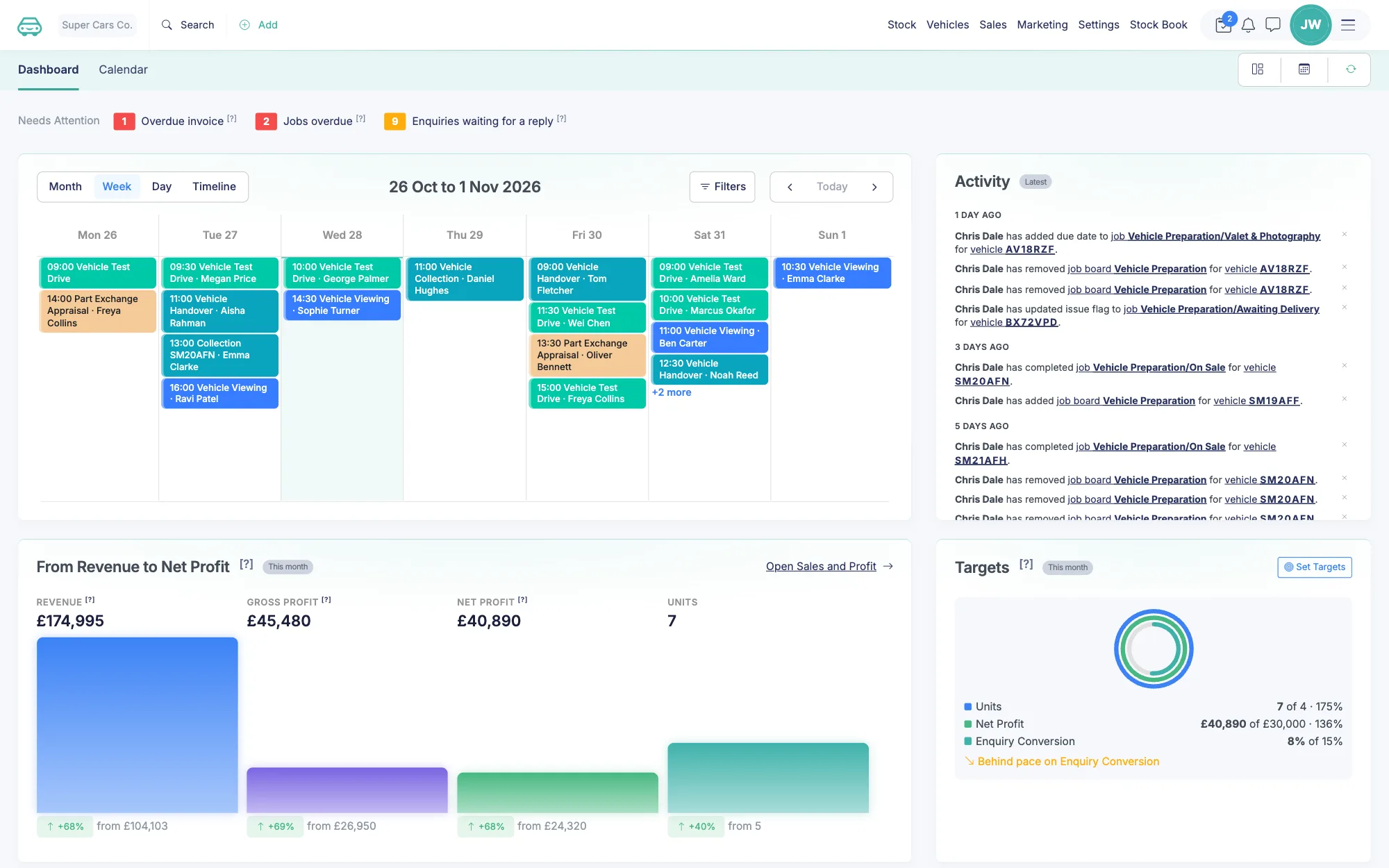
The dealer management platform dashboard: the week's diary, activity, revenue and targets

One login across every business, brand and branch.

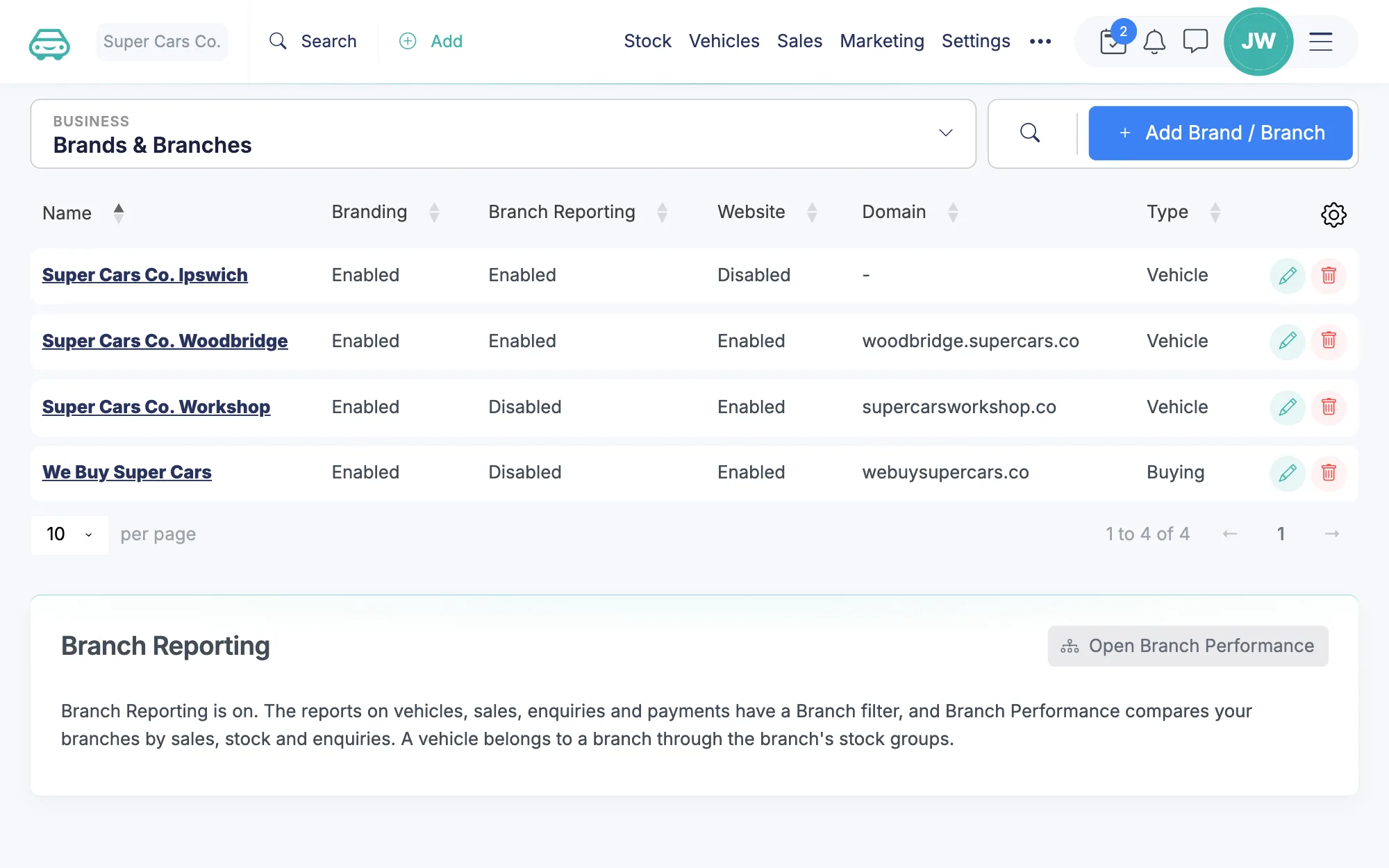
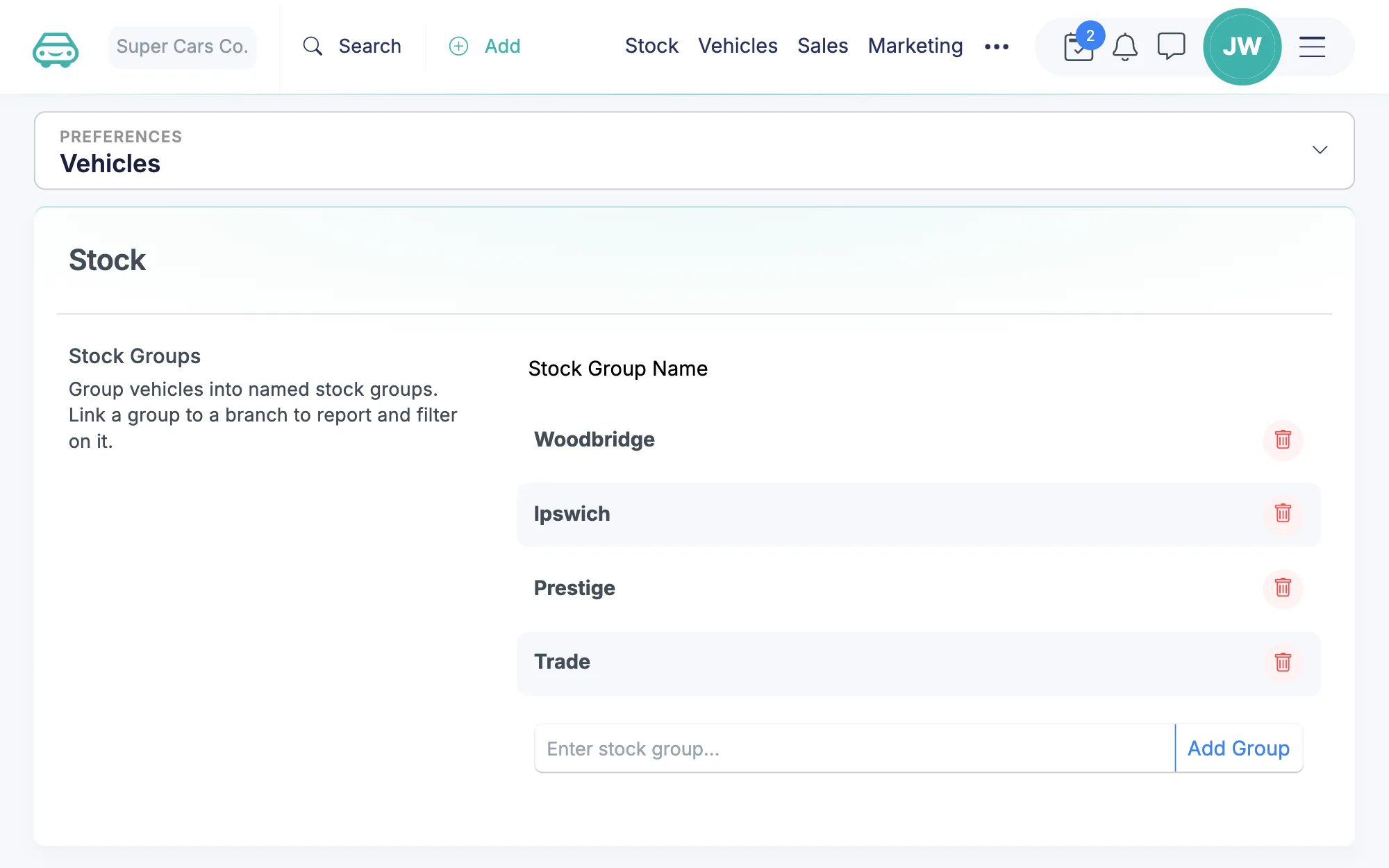
Whether you run a workshop under a different trading name or a hierarchy of legal entities, sites and brands, MotorDesk keeps businesses, brands, branches, locations, stock groups and websites under one login. Branding, stock, accounts and rules can stay separate where they need to be and shared where they do not. Complex organisations are supported by design, not treated as an exception.

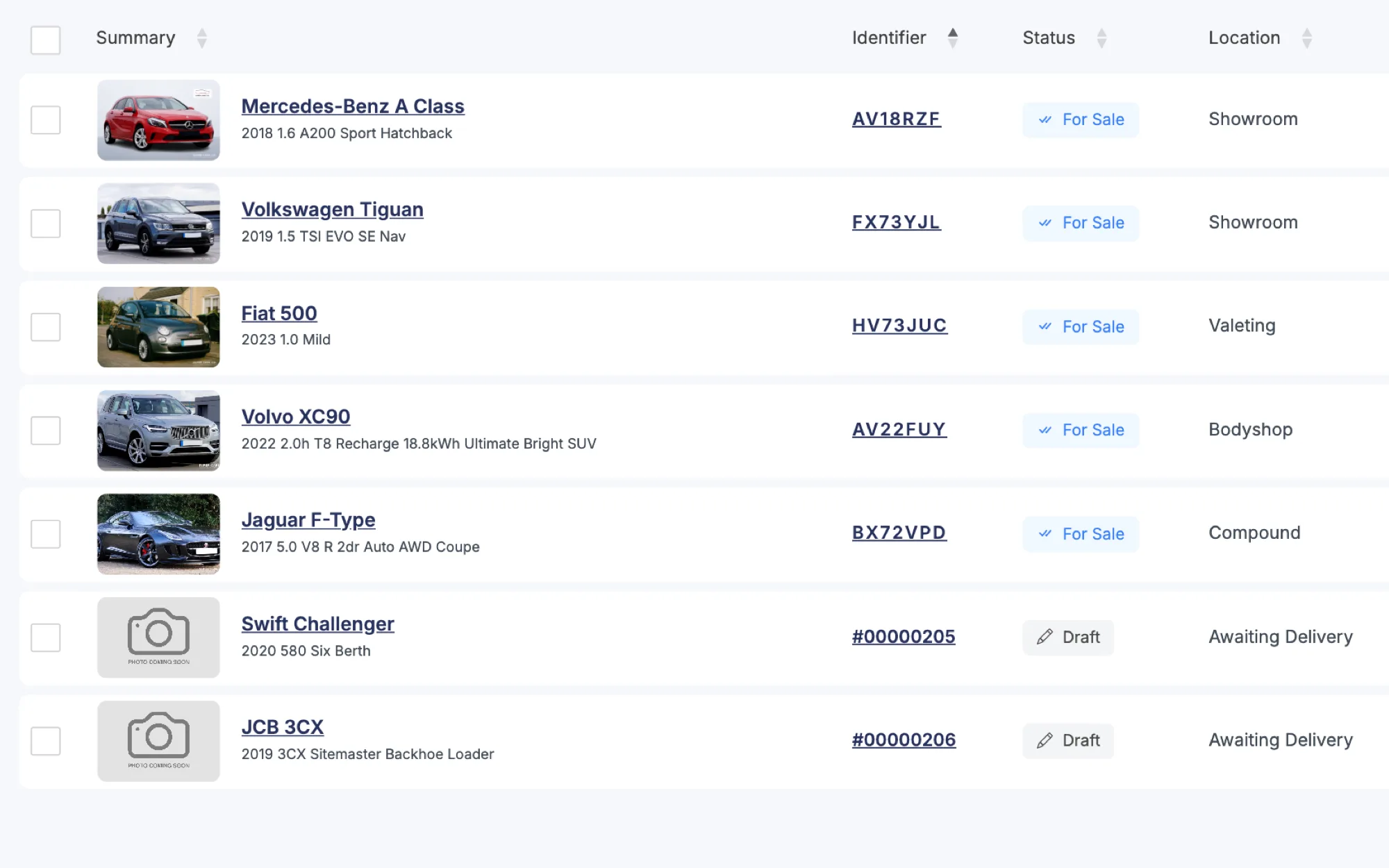
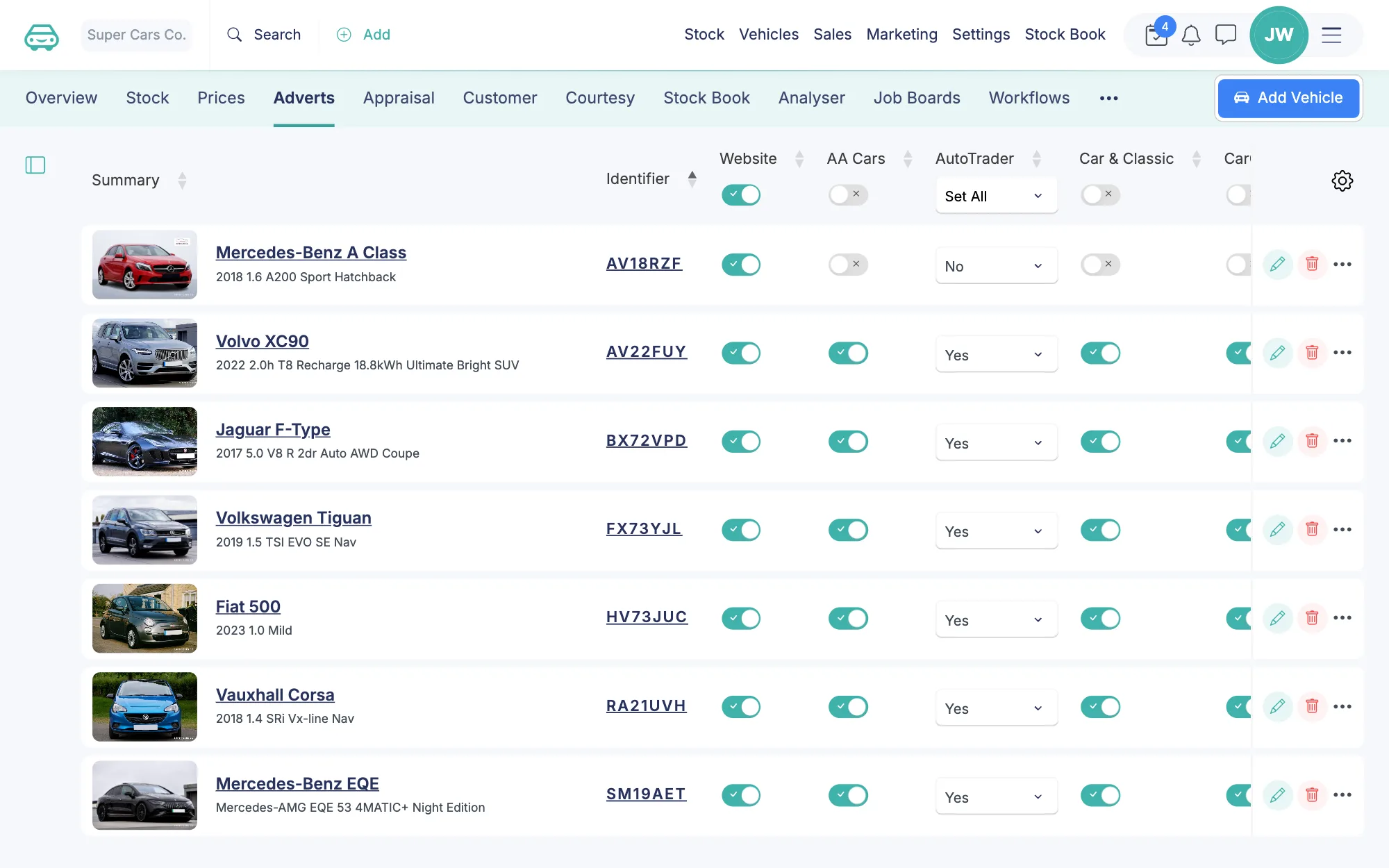
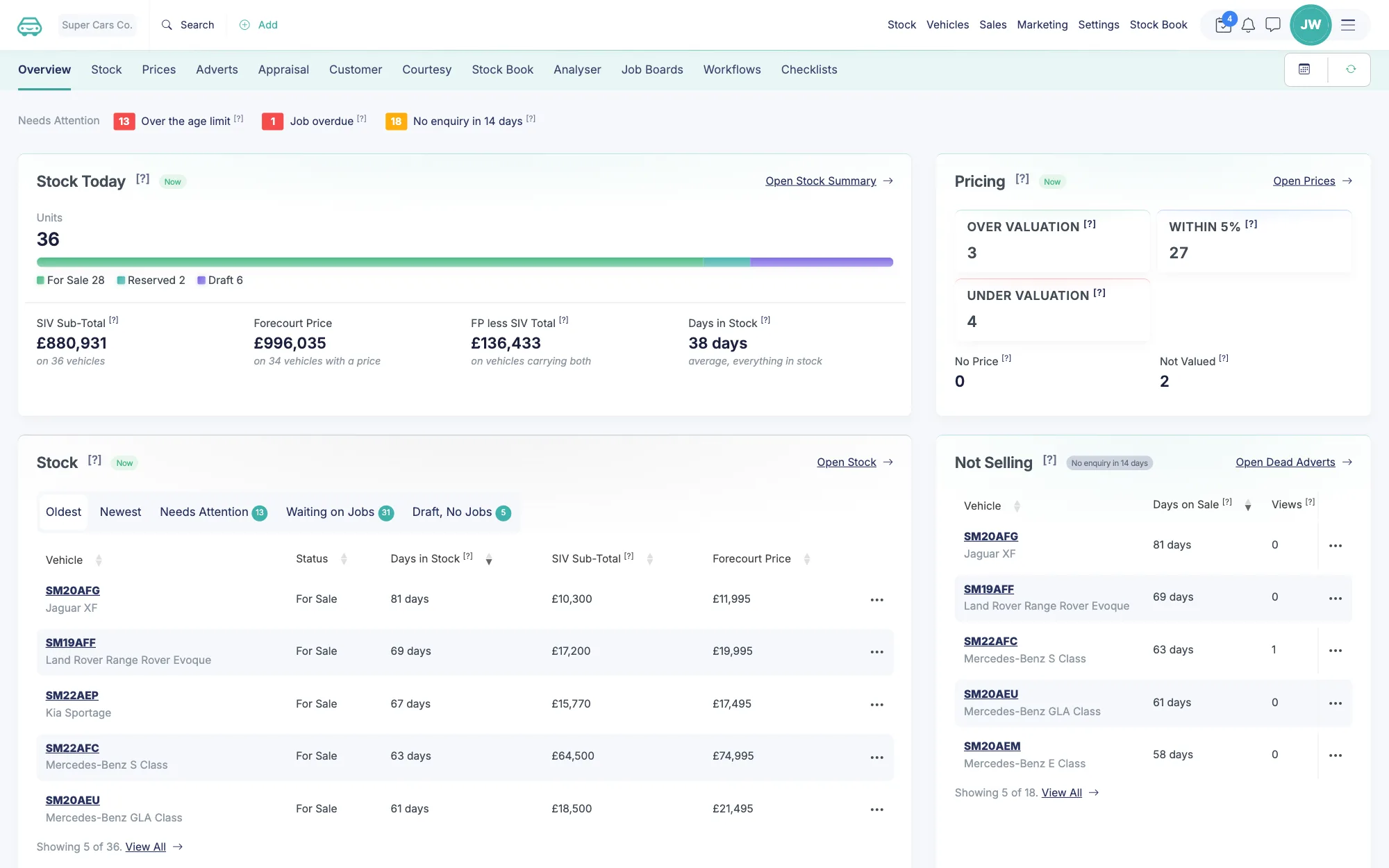
The vehicles overview: stock today, pricing and cars not selling

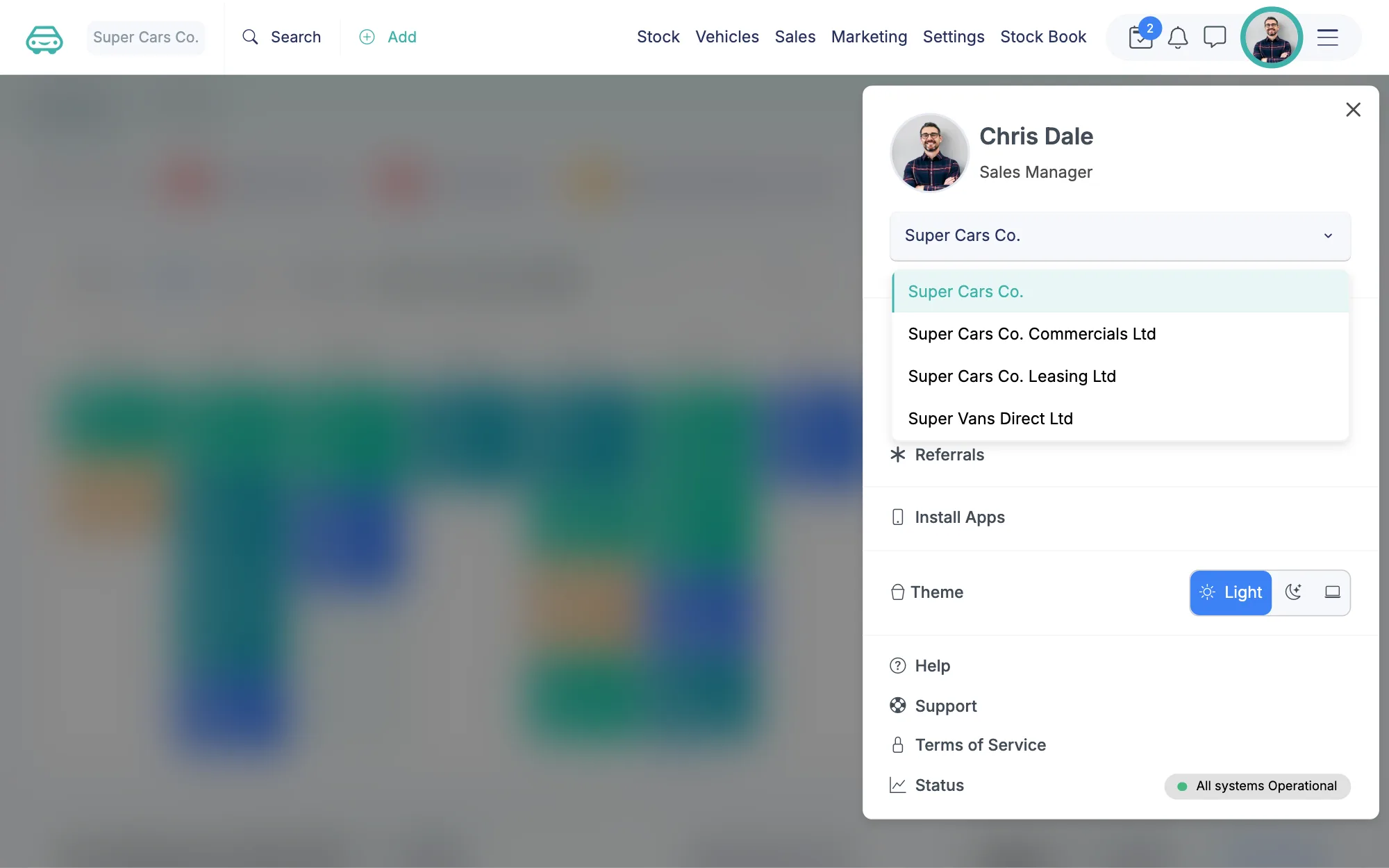
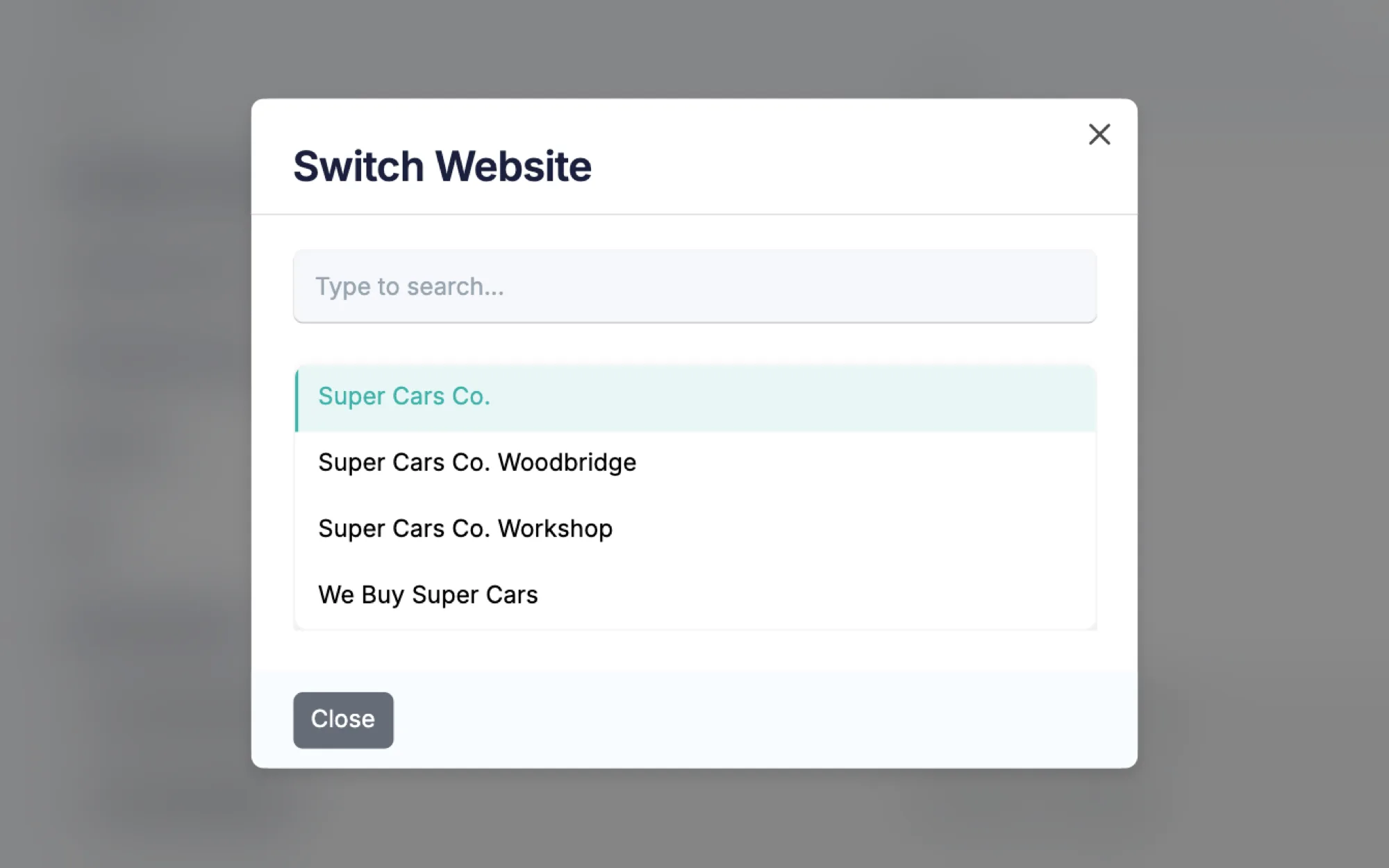
Switch between businesses without logging out; every level is optional.

Dealership user permissions, your way.

Every screen and every action can be controlled by permission - around two hundred of them - so sales teams see their leads, valeters see their jobs and sensitive information such as margins stays with the people who should see it. Use role templates, adjust access per person and per branch, and limit selected views to assigned records only.

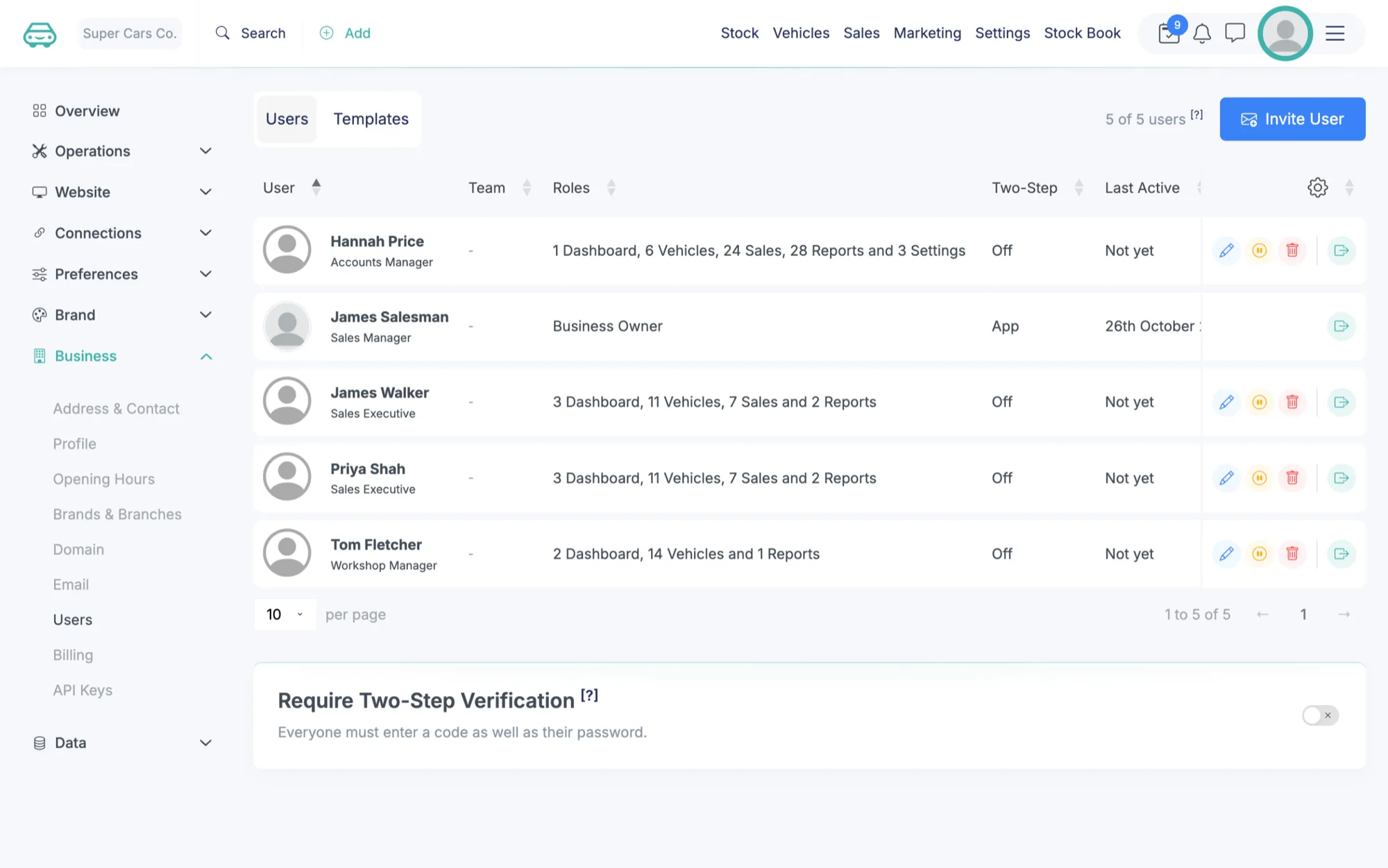
Dealer software user permissions: users with their roles and two-step verification

Role templates, per-person and per-branch permissions, with assigned-only views.

Human support, fast.

Get help by live chat, email, SMS, WhatsApp or phone from a UK team that knows the platform. Training is available by video call, with regular check-ins to make sure MotorDesk is still working the way your dealership needs it to.

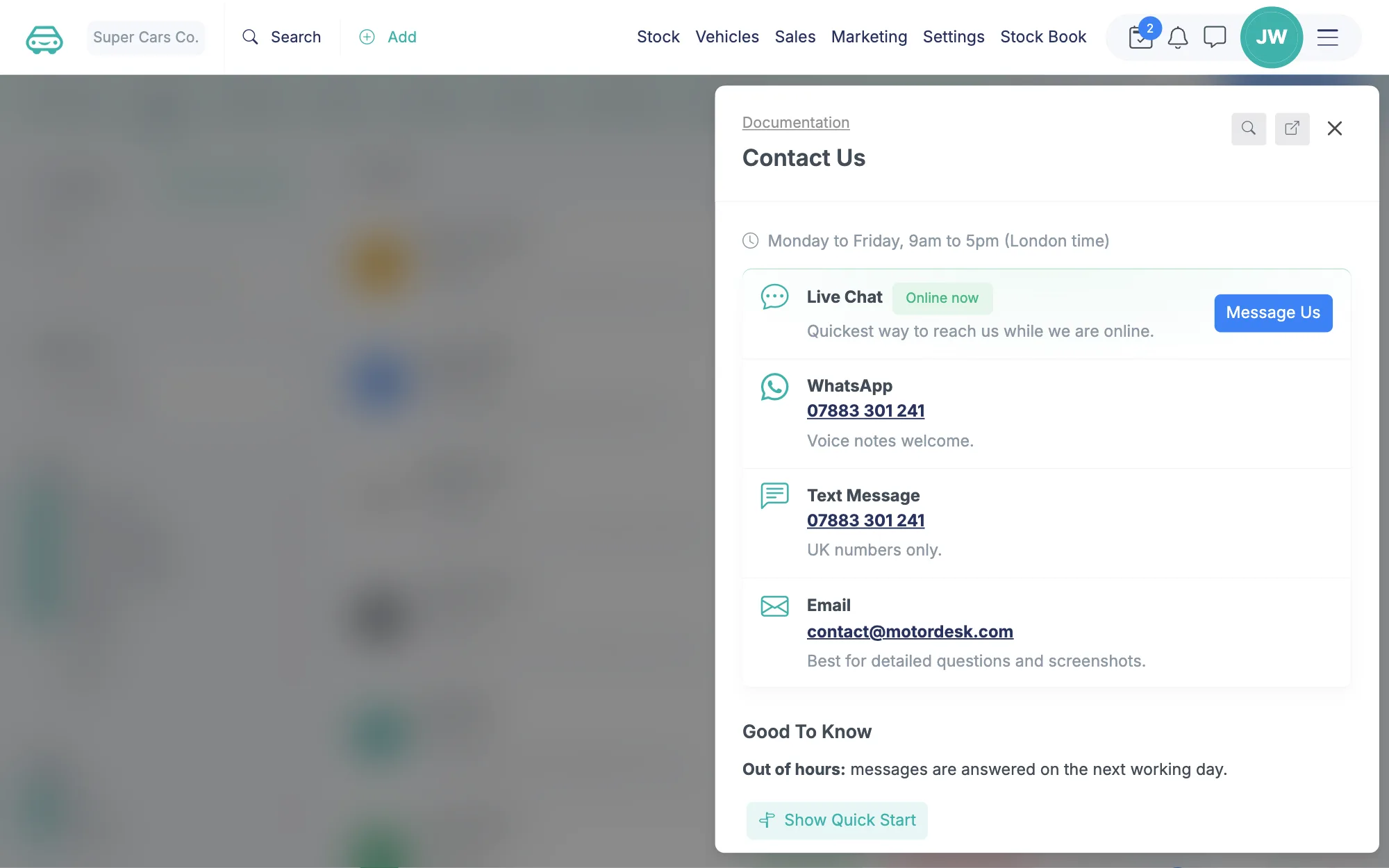
The support contacts in the Help drawer: live chat, WhatsApp, text and email

More than 95% of customers say it is working for them at their quarterly check-in.

Move dealership data without losing the history.

Bring stock, contacts and invoices across when you switch, then keep your previous system's records searchable inside MotorDesk through the Historic Data Viewer. That gives the team access to the history they need without keeping the old DMS running beside the new one.

Historic Data Viewer keeps records from the previous system available after the move.
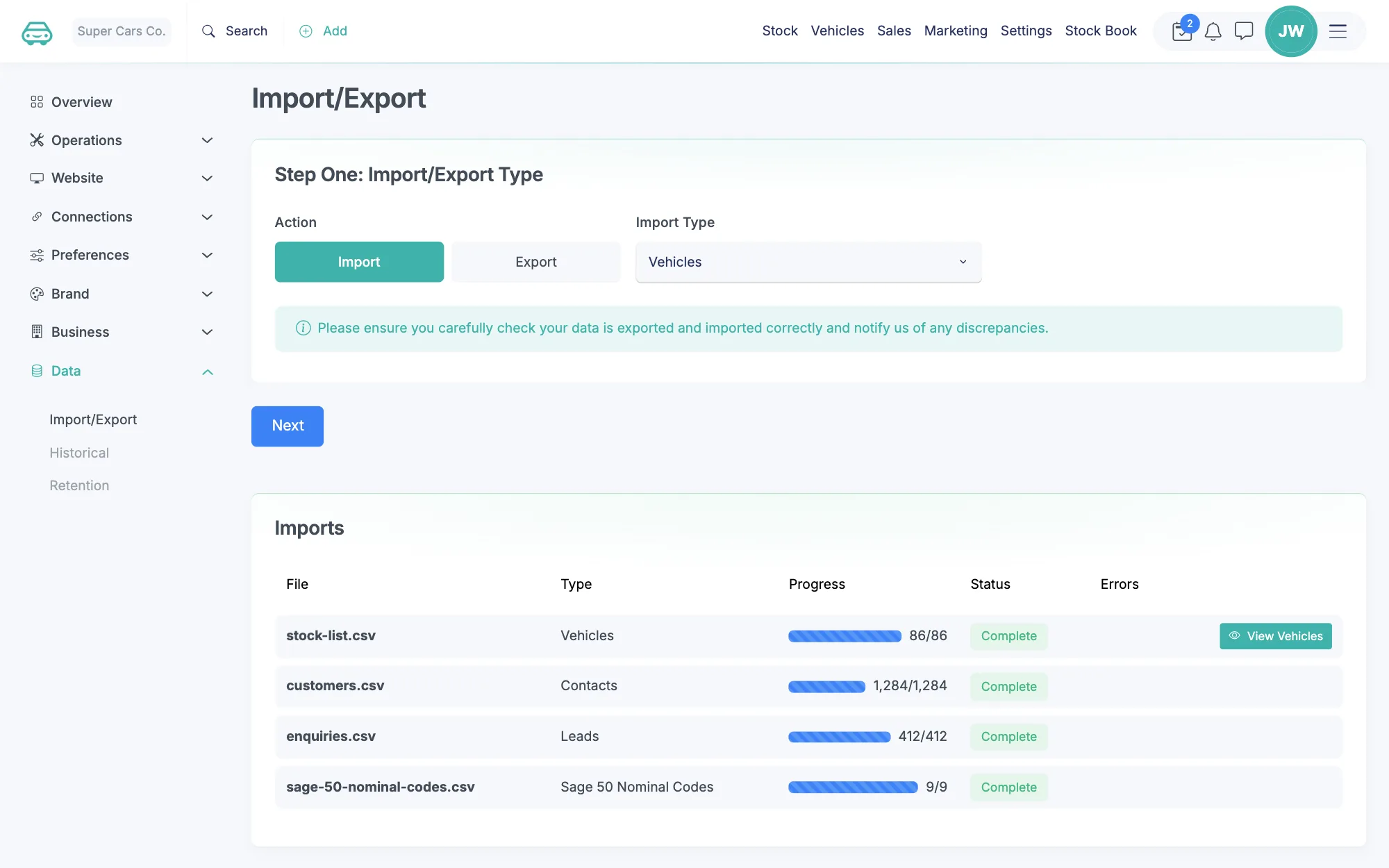
Importing vehicles, contacts and leads from spreadsheets

Your dealership data is yours.

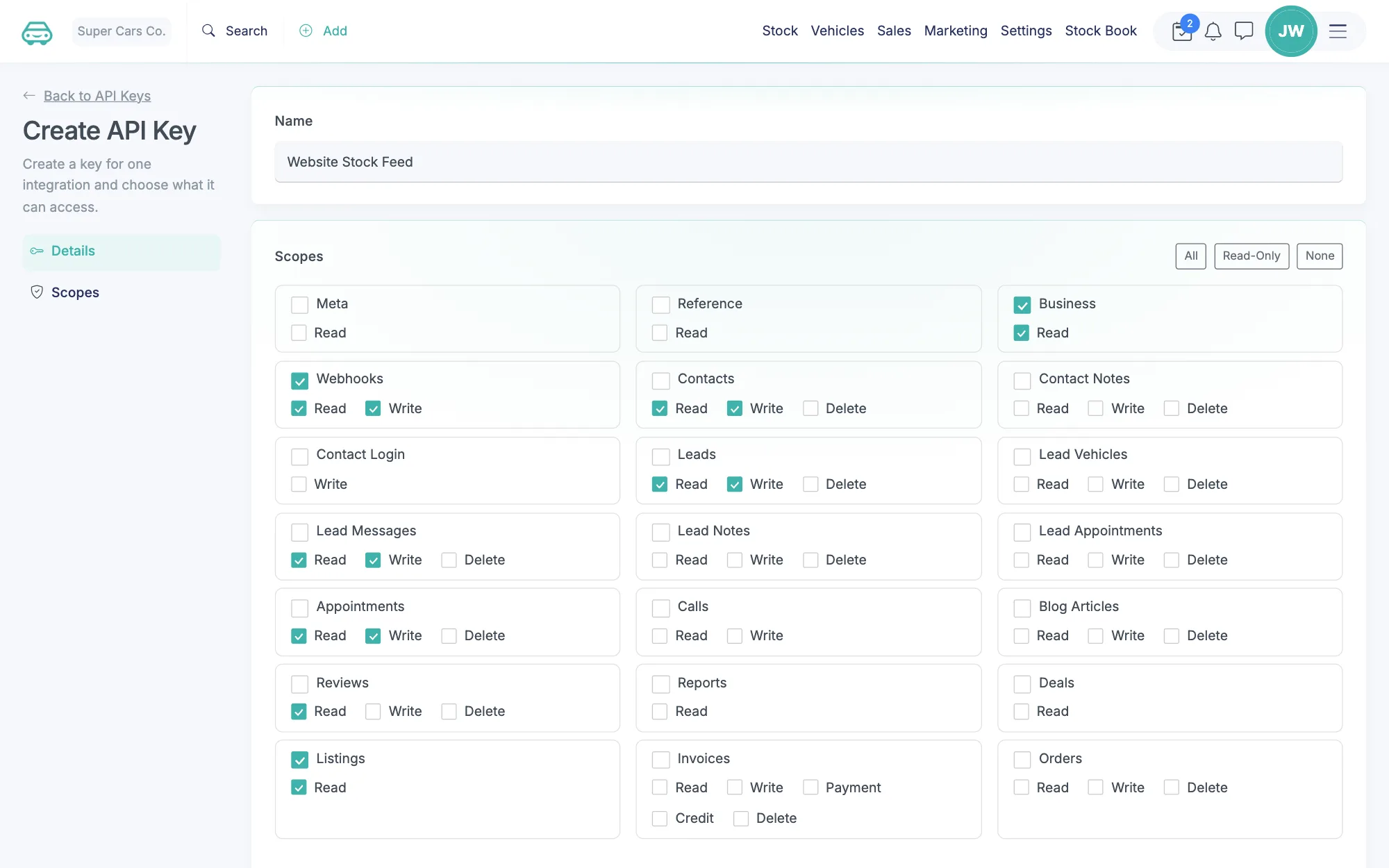
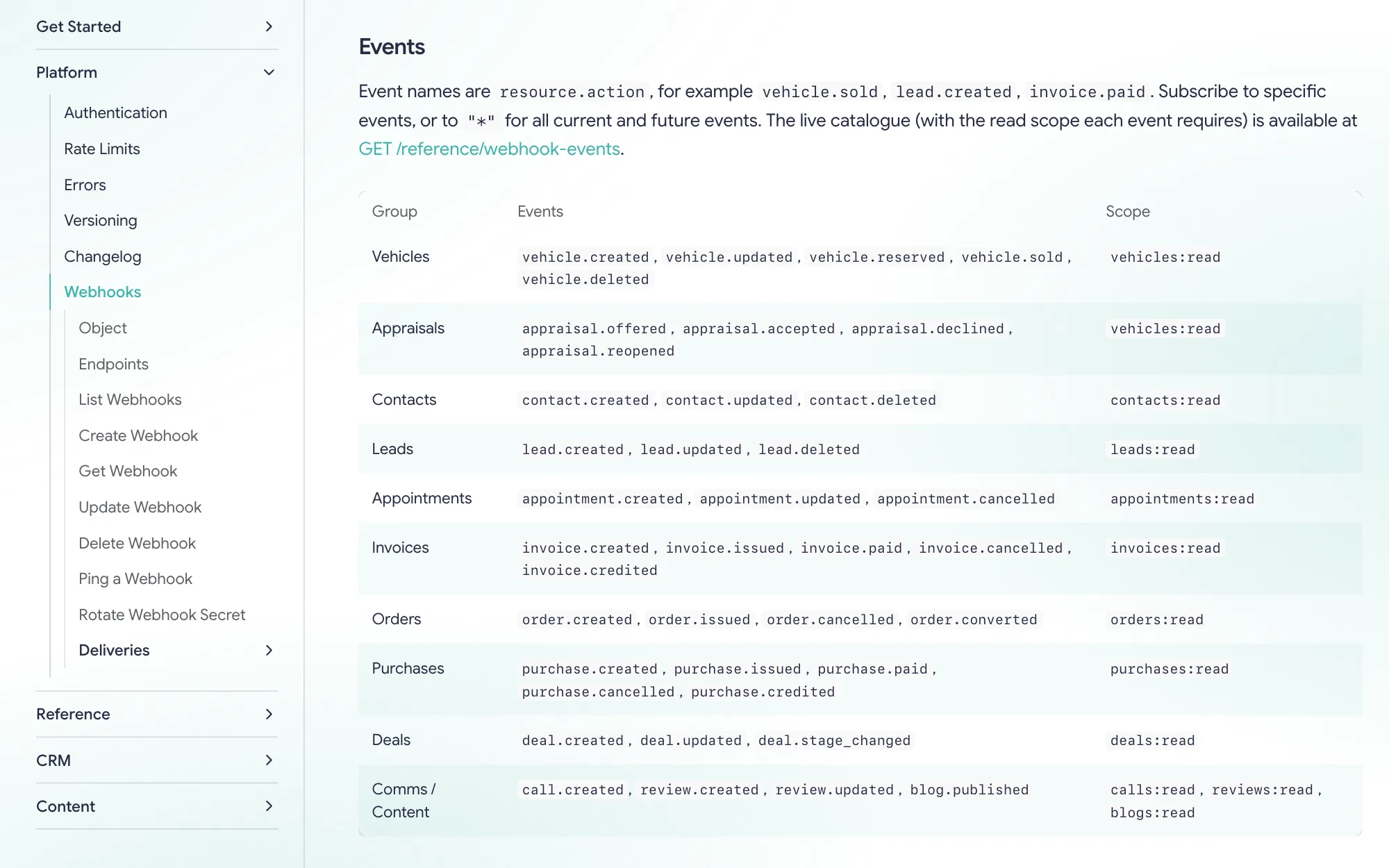
Export your data whenever you need it, with CSV available across the platform. For deeper connections, MotorDesk provides a documented, versioned API and webhooks so your developers and partners can build on the same dealership data.

Documented, versioned API; CSV export across the platform.

Creating an API key with read and write scopes

One platform structure, from businesses to websites.

Every level is optional, and information at each level can be kept separate or shared depending on how your dealership operates.

The business switcher, with each business in the group

Loyalty through support, not contracts.

95% customer satisfaction, reflecting the experience our customers have with MotorDesk and the support we provide to keep them getting the most from the platform. The connected dealership ecosystem is only as useful as the people behind it.

No contract · Quarterly check-ins · UK team · Your data, exportable

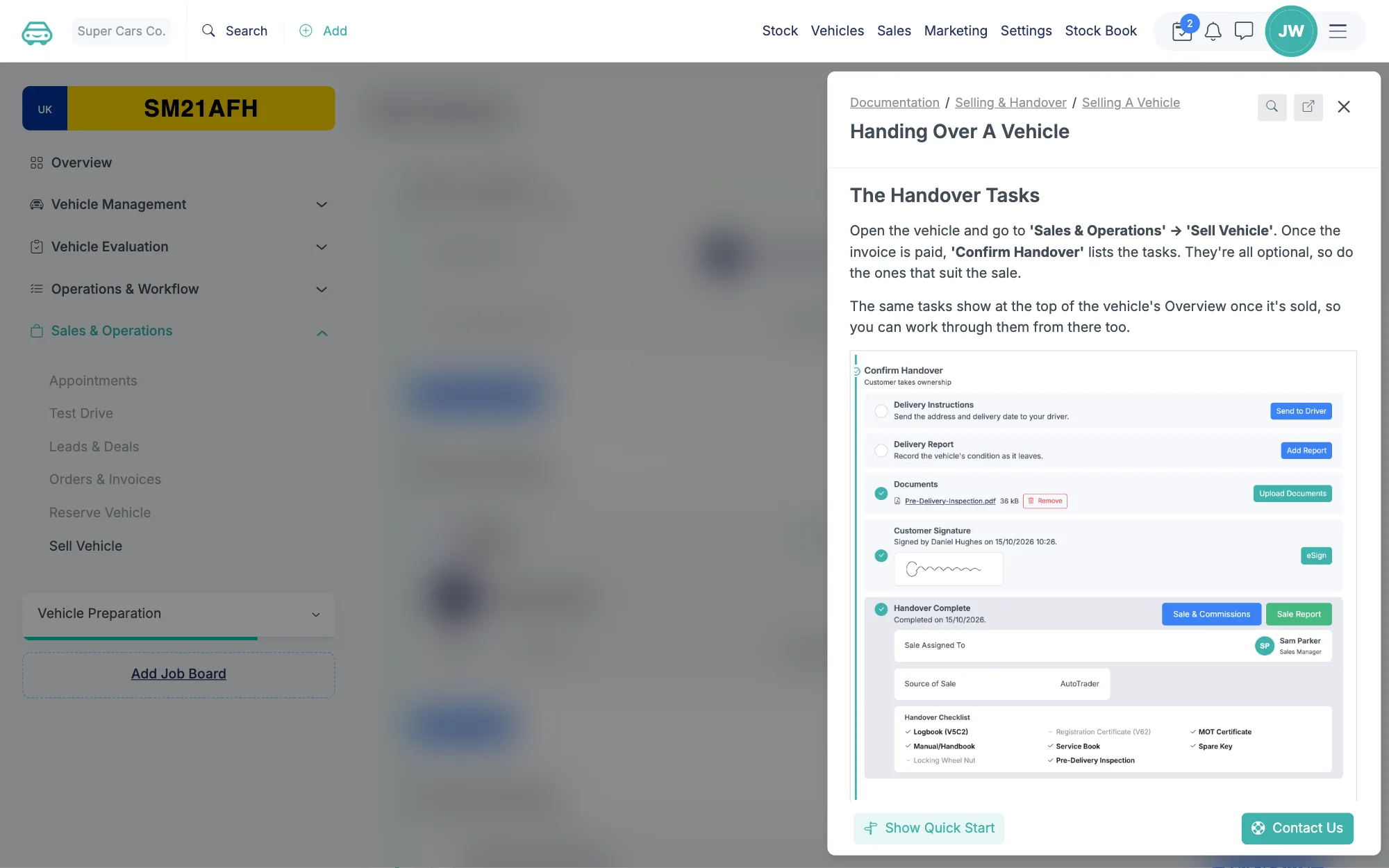
A help guide open in the Help drawer beside the car it's about

Car dealership platform features that make the difference.

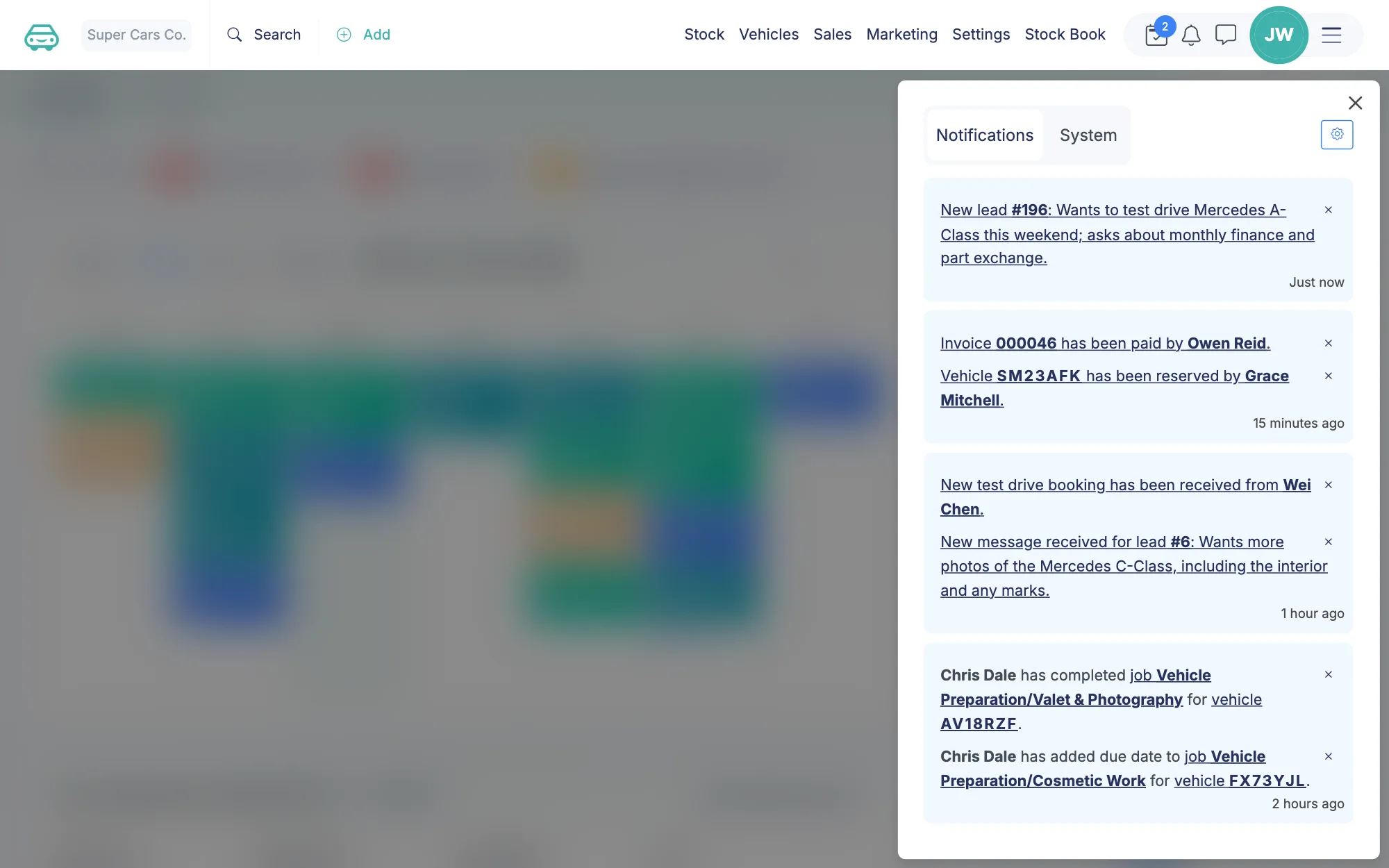
The notifications panel: enquiries, payments and tasks

Told the moment it matters

Instant notifications on phone, desktop and watch, sent to the right person rather than the whole team.

Assigned-only views

Limit leads, appointments and stock to the records each person owns or is responsible for.

Two-factor login and session control

Use two-factor authentication by choice or enforce it as part of your dealership access policy.

Historic Data Viewer

Keep records from the previous system searchable inside MotorDesk after you switch.

Import and export

Bring data in and take it out by CSV across stock, contacts, invoices and accountant files.

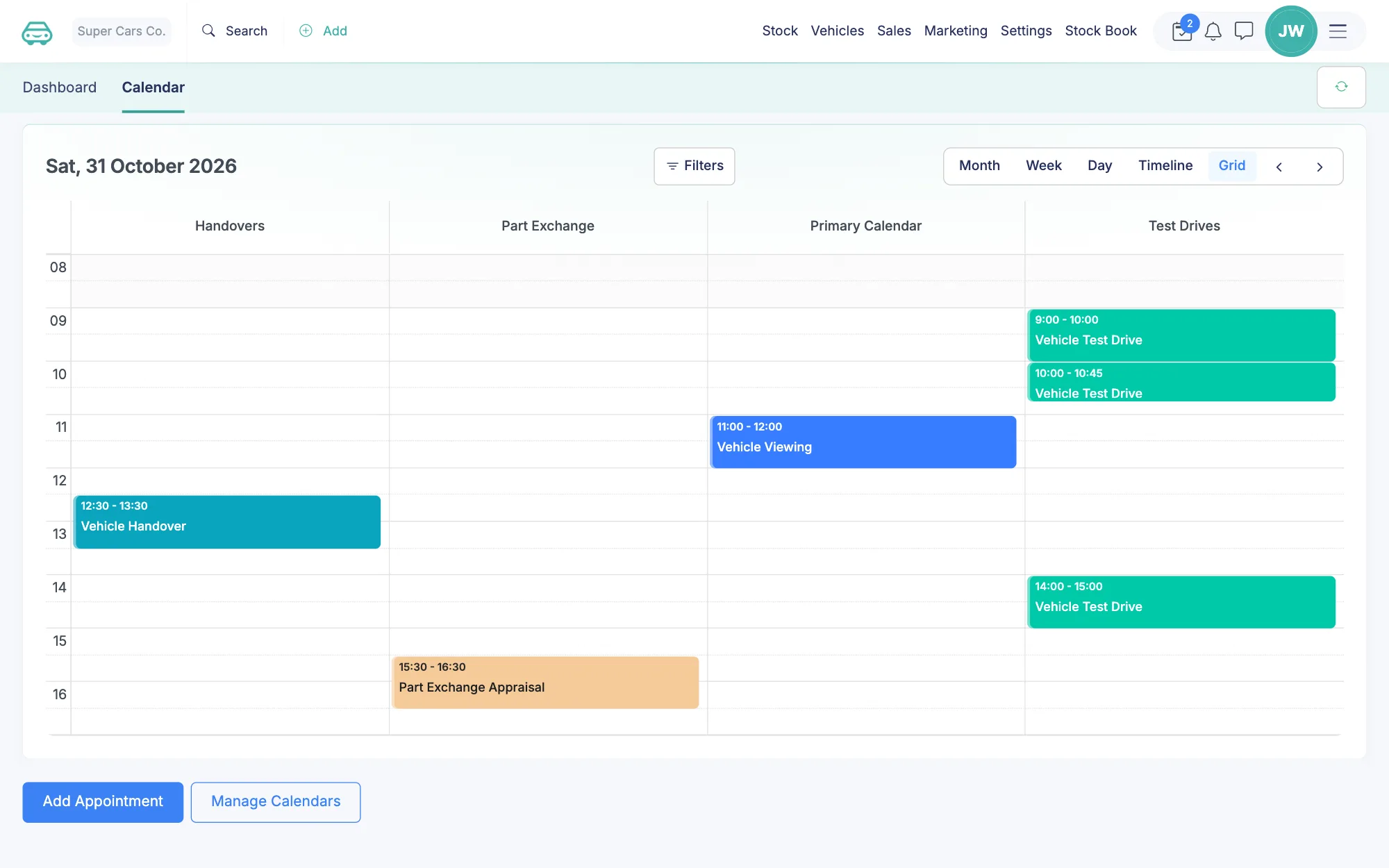
A test drive booked in the calendar

Calendar feeds

Keep MotorDesk diary events visible in Google, Outlook or Apple calendars.

Always on

Cloud-based, high-availability infrastructure monitored 24/7 and backed up twice a day.

Nothing to install

Run MotorDesk in a browser, with dedicated apps available when you want them.

Next Page

Stock Management

Explore Stock Management
FAQ

Car dealership platform questions

What is a car dealership platform, and how is it different from a DMS?

A DMS manages core dealership processes such as stock, leads, sales and invoicing. A car dealership platform connects those functions with the structure around them - businesses, brands, branches, people, permissions, support, data ownership and integrations. MotorDesk is designed to do both: the dealership-management features sit on top of the same connected platform.

Can I run several businesses or branches from one login?

Yes. Businesses, brands, branches, locations, stock groups and websites can all sit under one login, with information kept separate or shared depending on how your organisation is structured.

How do dealership user permissions work?

MotorDesk has around two hundred permissions covering screens and actions across the platform. They can be grouped into role templates, adjusted per person and per branch, and used for assigned-only views or to hide sensitive information such as margins.

What support do UK dealers get?

Support is available by live chat, email, SMS, WhatsApp and phone from a UK team that knows the software, alongside video-call training and regular check-ins.

How does DMS data migration work?

MotorDesk can import stock, contacts and invoices when you move across. Records from the previous system can remain searchable through the Historic Data Viewer so the team can still access older information after the switch.

Can I export my dealership data?

Yes. MotorDesk is designed around data ownership, with CSV export available across the platform. A documented API and webhooks are also available where you need deeper integrations or bespoke data workflows.

How secure is the MotorDesk platform?

MotorDesk supports two-factor login and role-based access, with virus-scanned uploads, UK cloud hosting across multiple servers, 24/7 monitoring, two daily backups and point-in-time recovery with encrypted off-site backups.

Built to be kept, not to keep you.

Try the whole platform free for 30 days. No payment details, no contract.

The dealer management system dashboard: the week's diary, activity, revenue to net profit and targets
  • 5.0 Google Reviews
  • 5.0 On Google Play
  • 5.0 App store
  • 5.0 On Capterra
  • EADT Business Awards 2026 - winner, Small Business of the Year Winner
  • AWS Well-Architected Awards 2024 - winner, Most Improved Architecture Winner
  • UK Business Tech Awards 2026 - finalist, SaaS Company of the Year Finalist
  • Motor Trader Independent Dealer Awards 2026 - finalist, IT Innovation of the Year Finalist
  • Motor Trader Commercial Industry Awards 2026 - finalist, IT Innovation of the Year Finalist
  • Motor Trader Independent Dealer Awards 2025 - finalist, IT Innovation of the Year Finalist
  • Motor Trader Independent Dealer Awards 2024 - finalist, IT Innovation of the Year Finalist
Call us 01473 598 100