Skip to content
Apps

The car dealer app - the whole dealership, on whatever's in front of you.

Car dealer app that puts the full MotorDesk platform on iPhone, iPad and Android, with desktop apps for Mac, Windows and Linux and a web app for any browser. It is the full platform on each, not a cut-down version - and whichever one is in your pocket tells you the moment an enquiry, a payment or a task needs you.

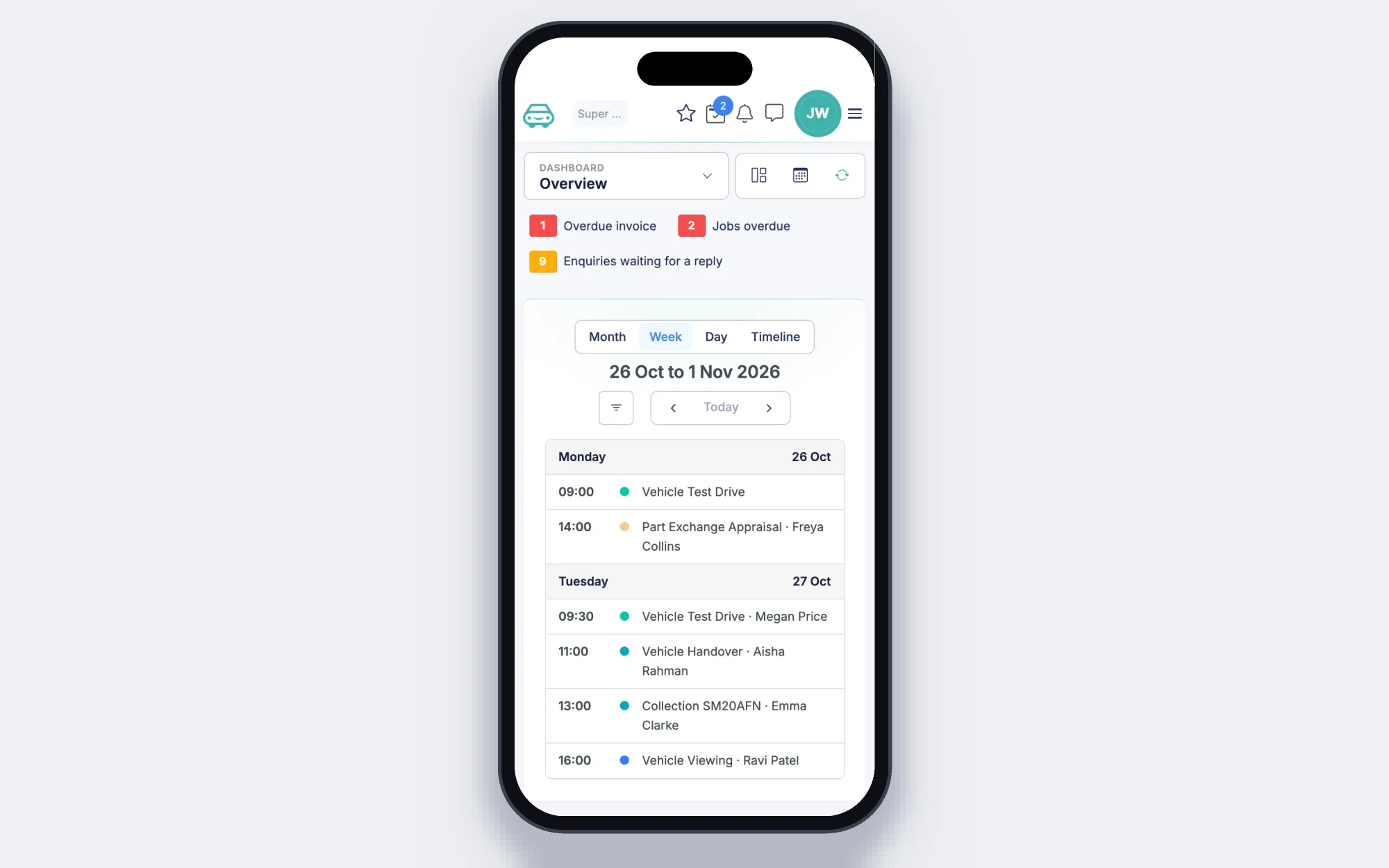
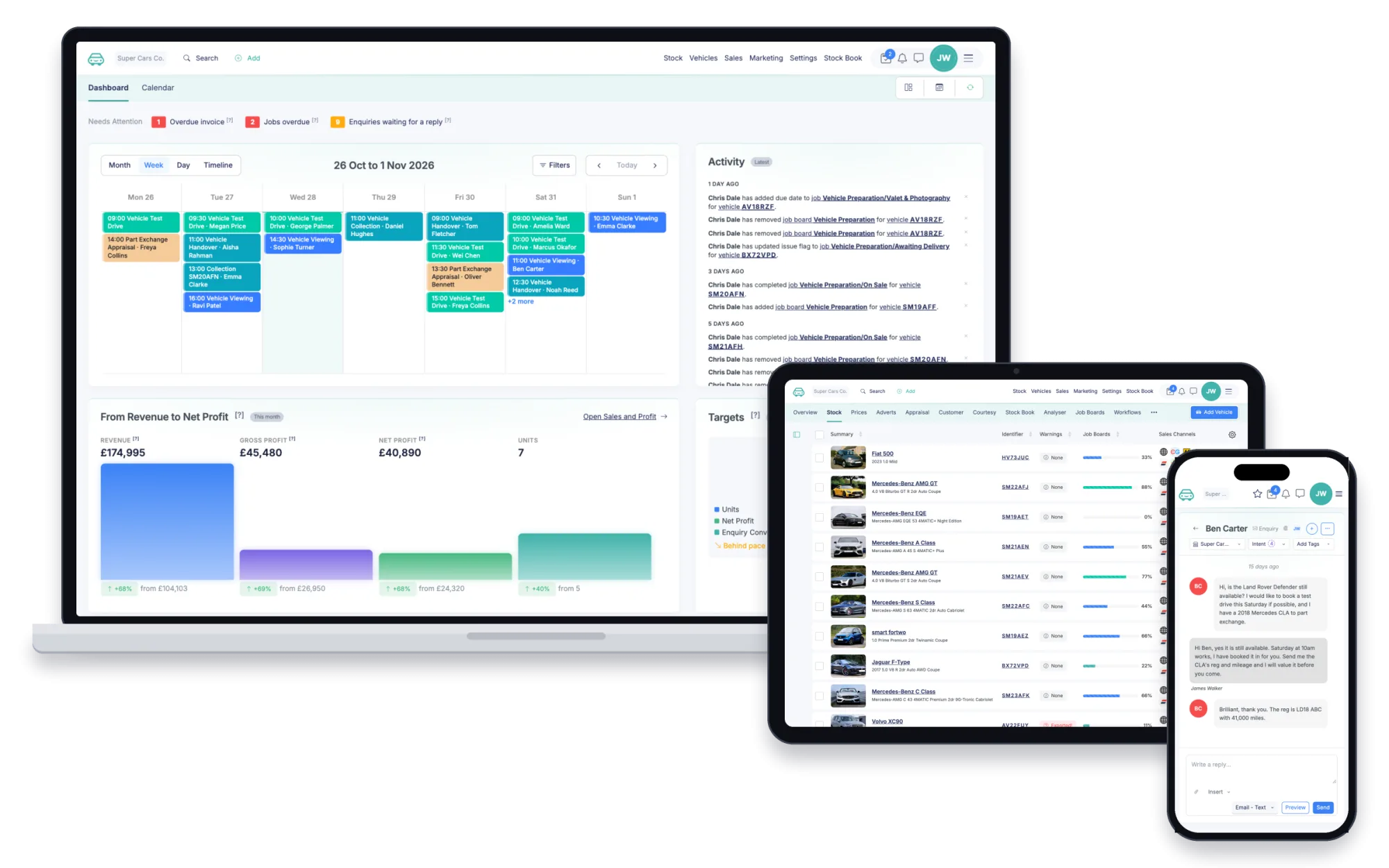
The car dealer app on a laptop, tablet and phone

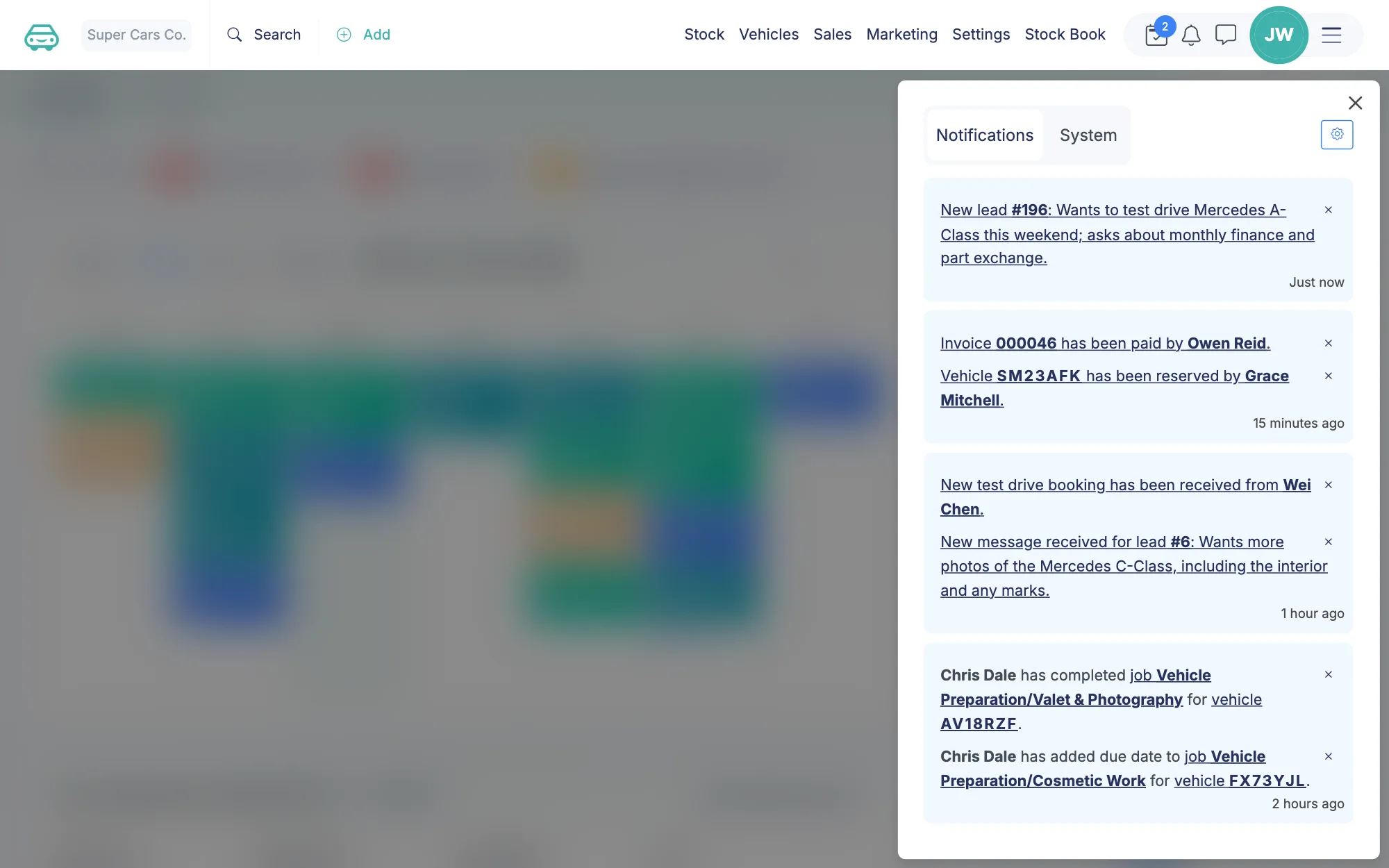
Told the moment something needs you.

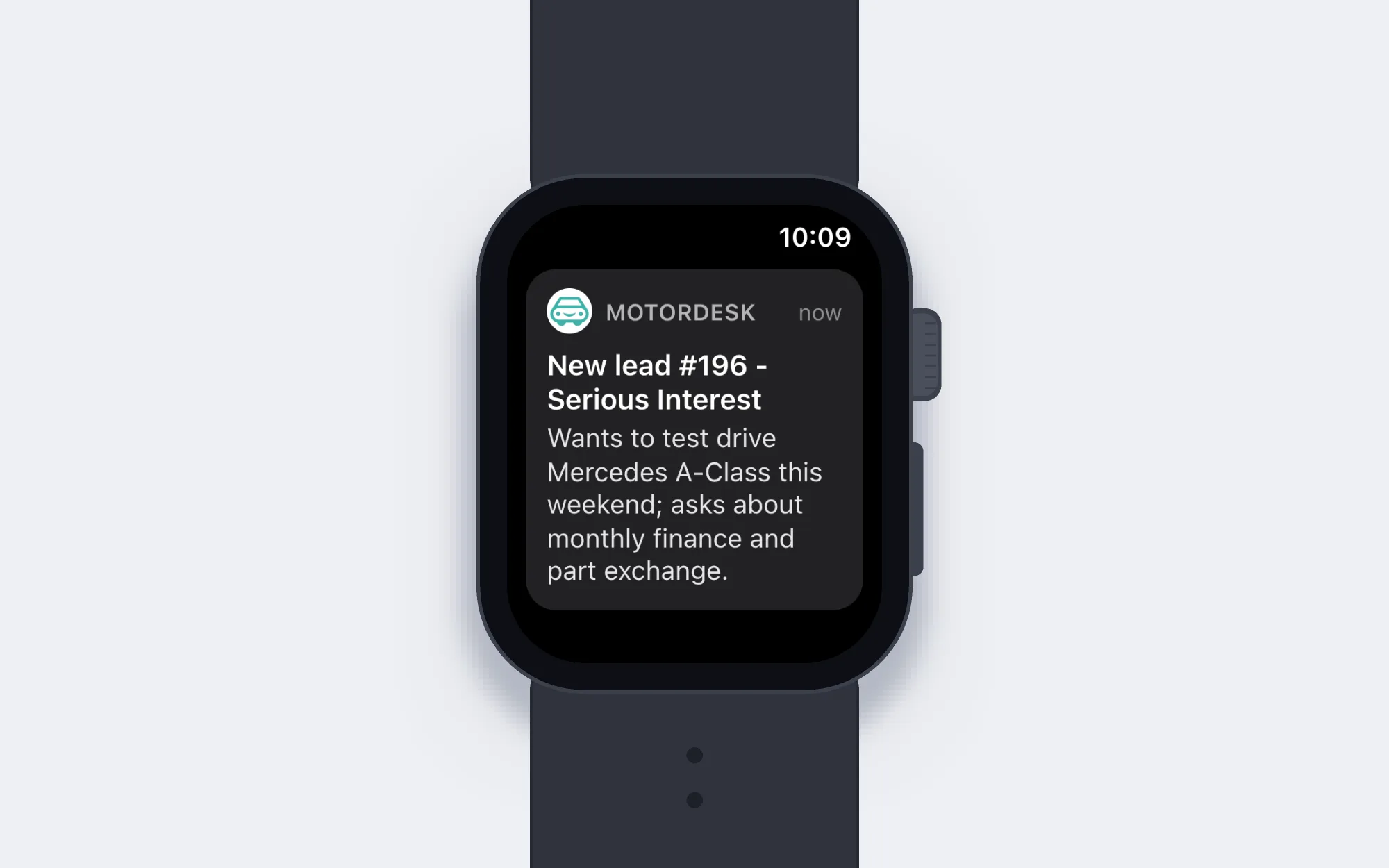
A new enquiry, a reply on WhatsApp, a reservation or payment made online, a car sold, a finance decision or a task due - pushed to your phone, desktop and watch the moment it happens. Sent to the people whose job it is, not to everyone, and tap it to land on the right screen.

Notifications of new leads, payments, bookings and finished jobs

Notifications by role - sales see enquiries and payments, the workshop sees tasks, the owner sees the lot.

The full car dealer app, not a cut-down version.

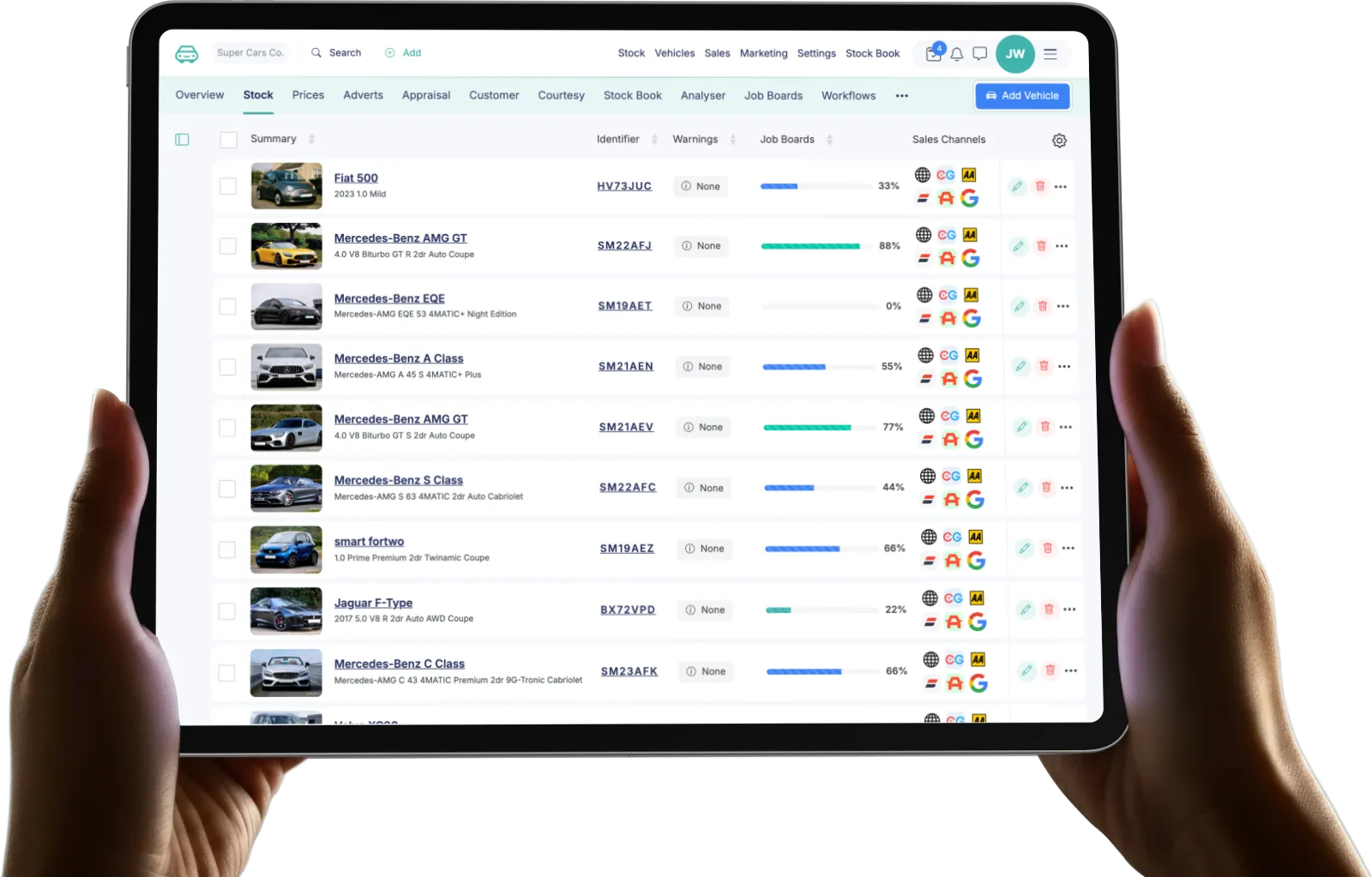
Use MotorDesk in any browser, or through desktop apps for Mac, Windows and Linux and mobile apps for iPhone, iPad and Android. The same platform is there on each device, so the job does not change just because you have stepped away from the desk.

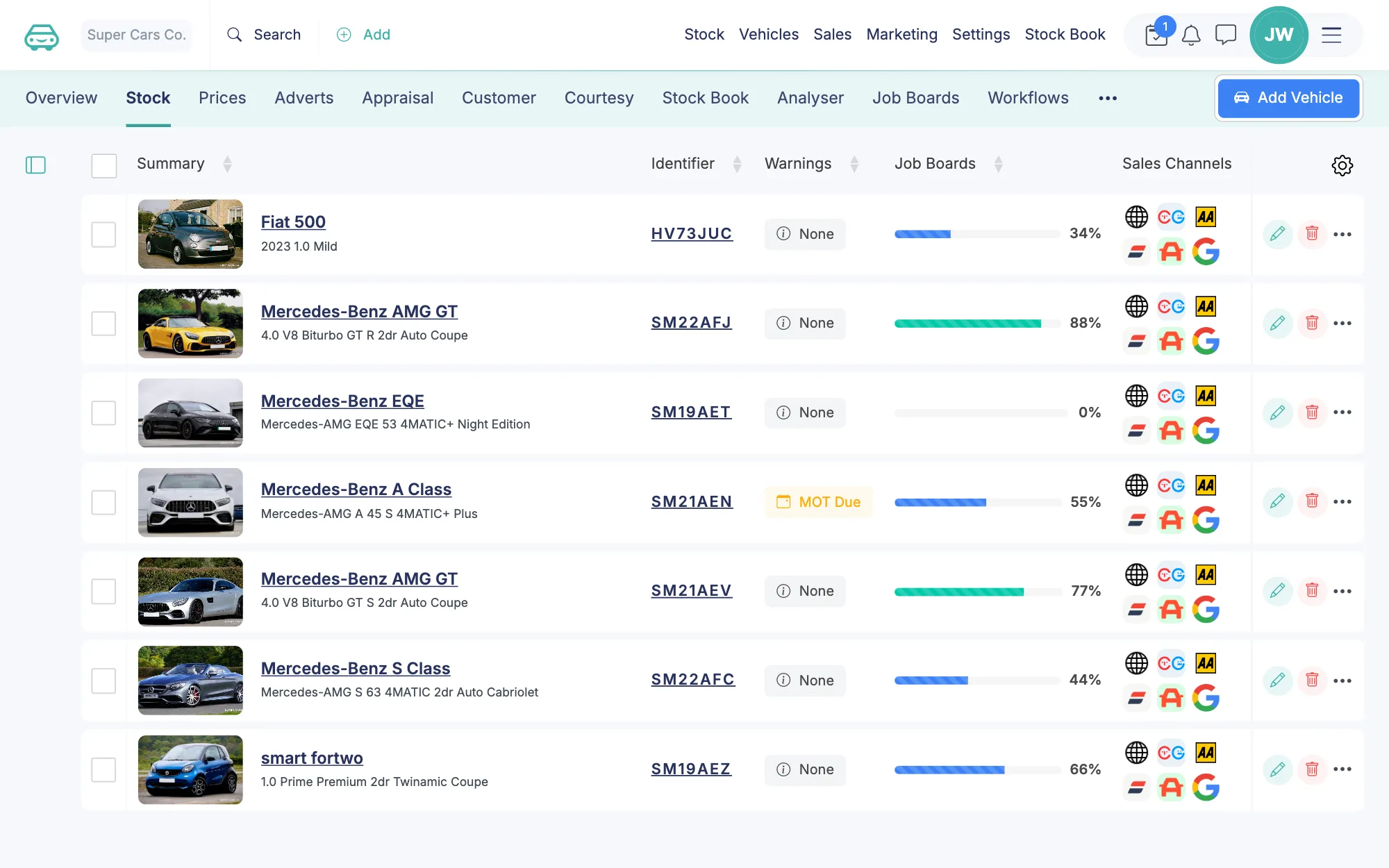
The stock list in the dealership management app on an iPad

Nothing to install for the browser; the apps are there when you want them.

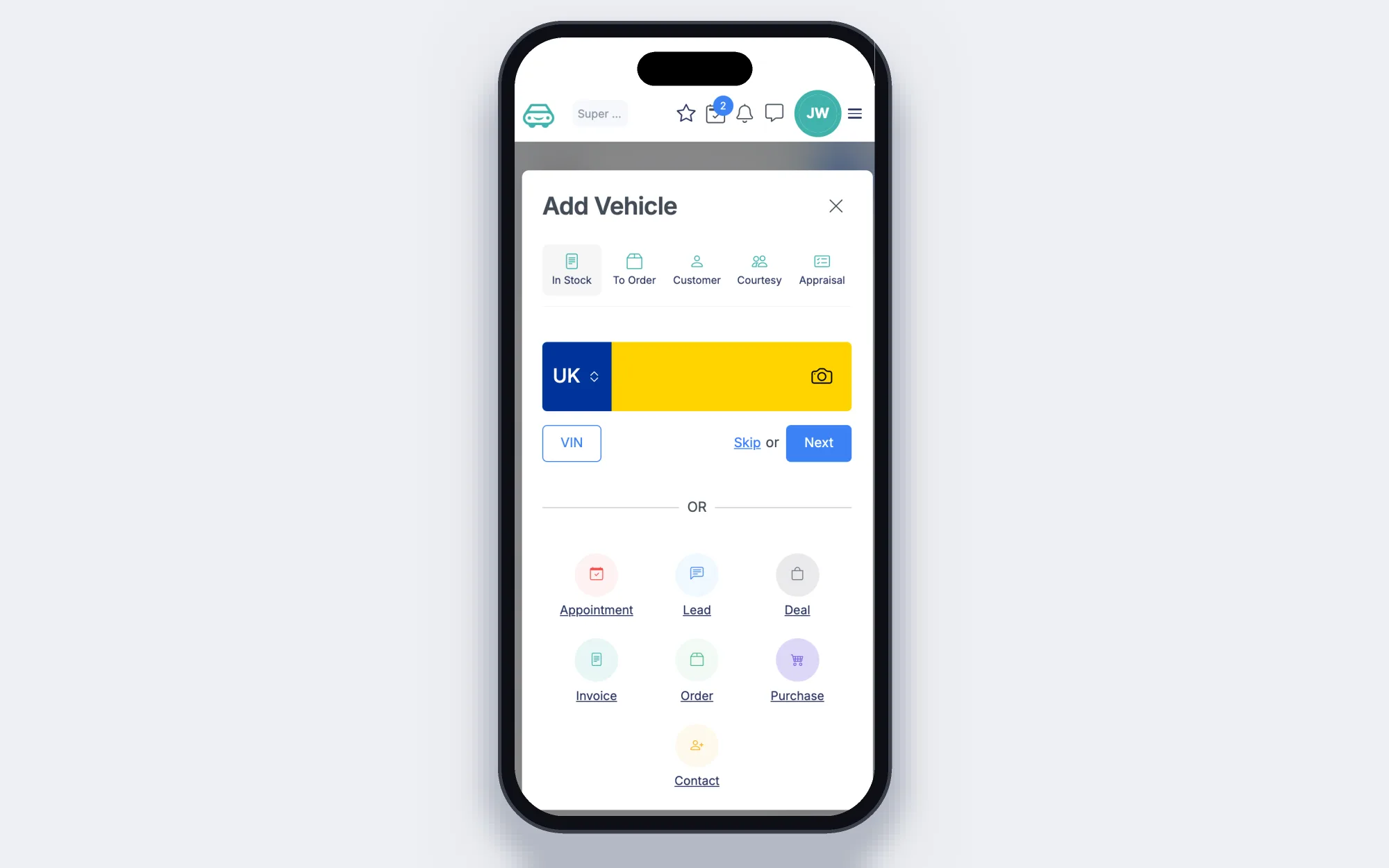
Add a car from the forecourt.

Photograph the plate and start building the vehicle record before you are back inside. Use the guided camera to keep the photos consistent across every car.

Add Vehicle on a phone, with the number plate camera

Registration, VIN or a photo of either.

Reply to dealership enquiries wherever you are.

Every channel, the same inbox, on your phone - with the AI summary and draft ready when you open it. Reply to WhatsApp, Messenger, Instagram, SMS, email and live chat without waiting until you are back at a desk.

WhatsApp, Messenger, Instagram, SMS, email and chat, on the move.
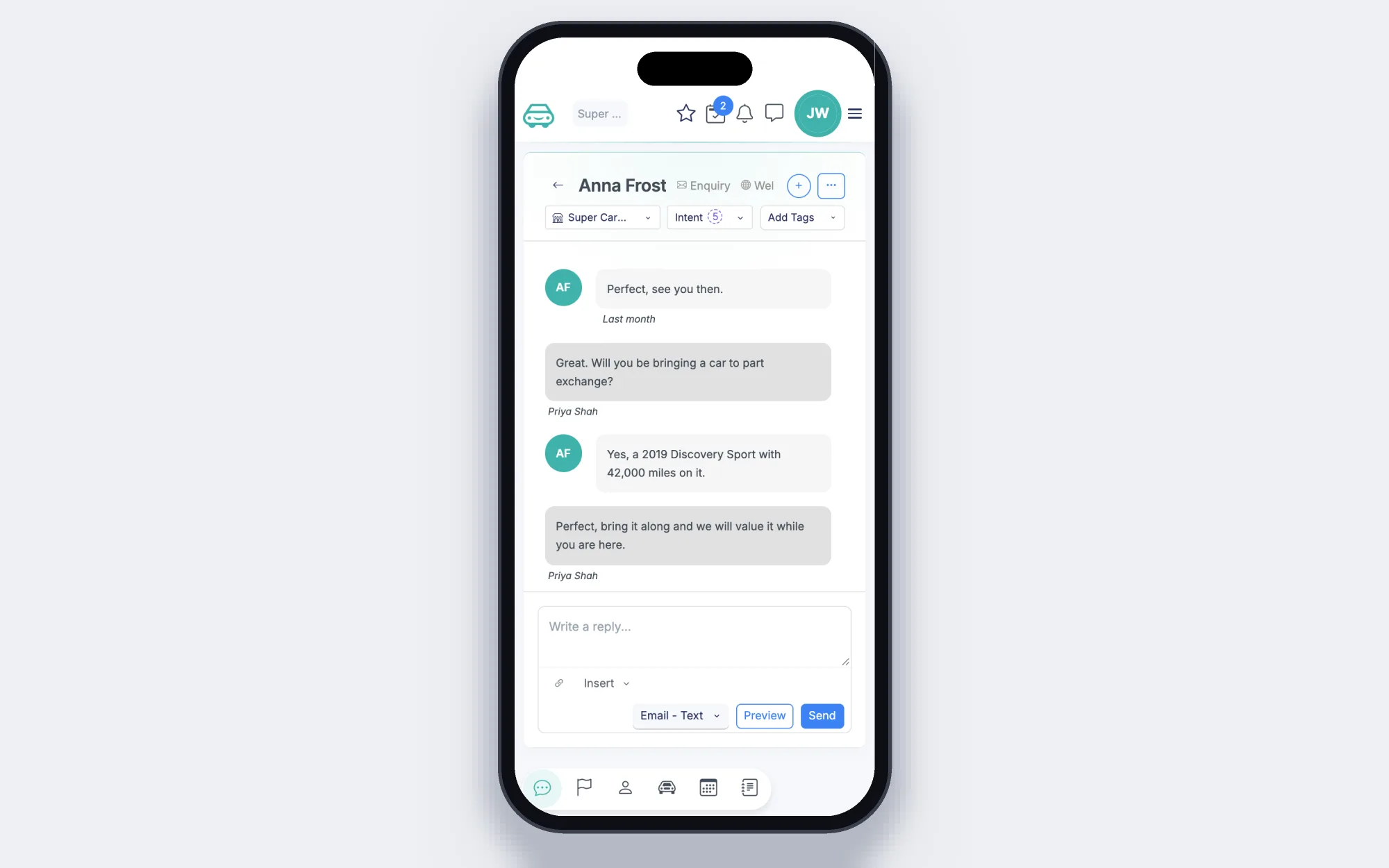
A customer conversation in the inbox on a phone

Do the physical work on the device.

Take photos, complete condition reports, appraise a part-exchange, capture signatures, handle the handover and tick off workshop or prep tasks from the device in your hand. Condition reports can keep working offline and sync when the signal comes back.

Condition reports sync when the signal comes back.

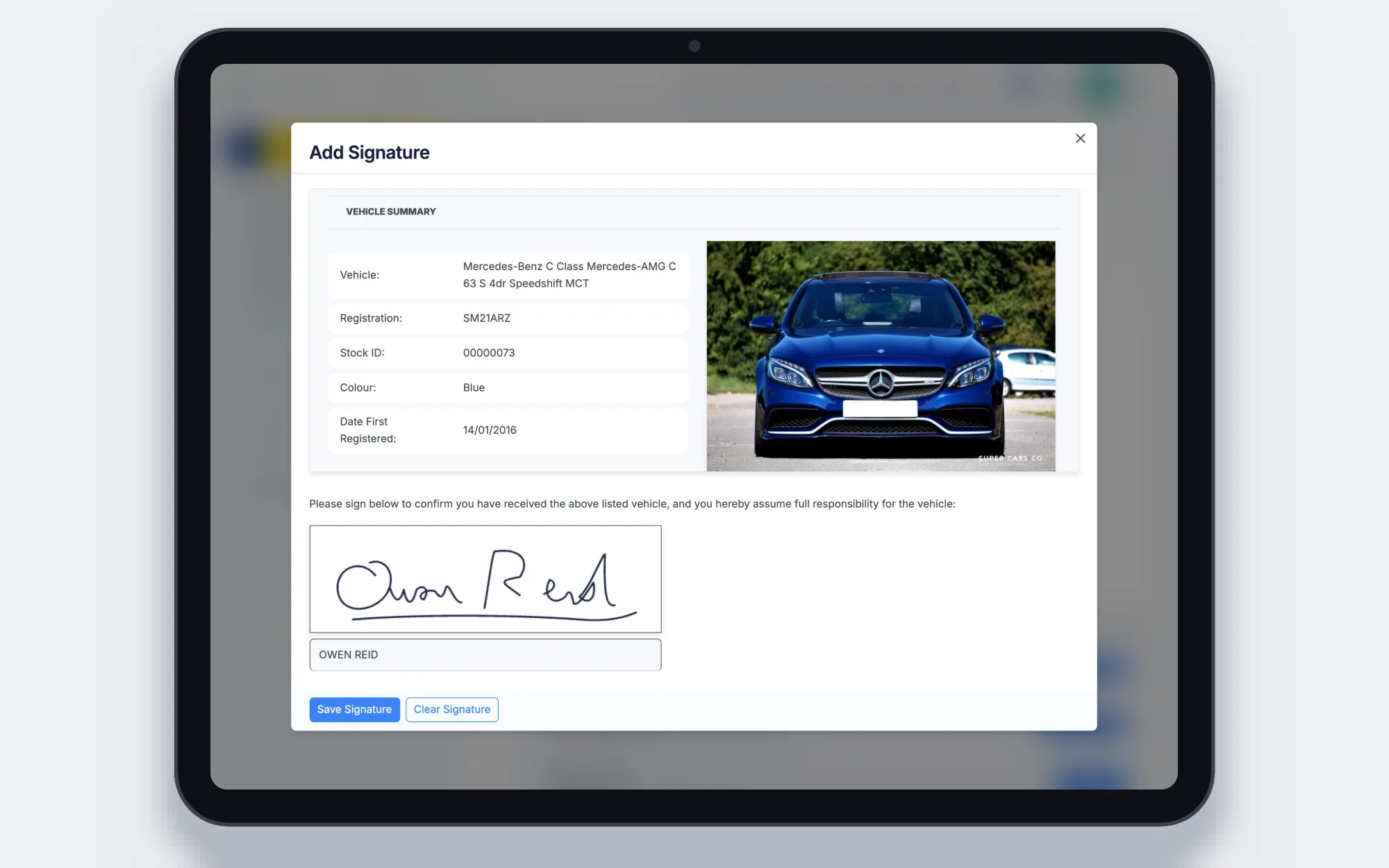
A customer signing for their car on a tablet

The same dealership app everywhere.

Your laptop, your phone, your tablet, even the TV in the showroom - one login to the whole connected dealership ecosystem, and nothing to install if you would rather use the browser. Rated 5 out of 5 on the App Store and Google Play.

iOS · Android · Mac · Windows · Linux · Any browser

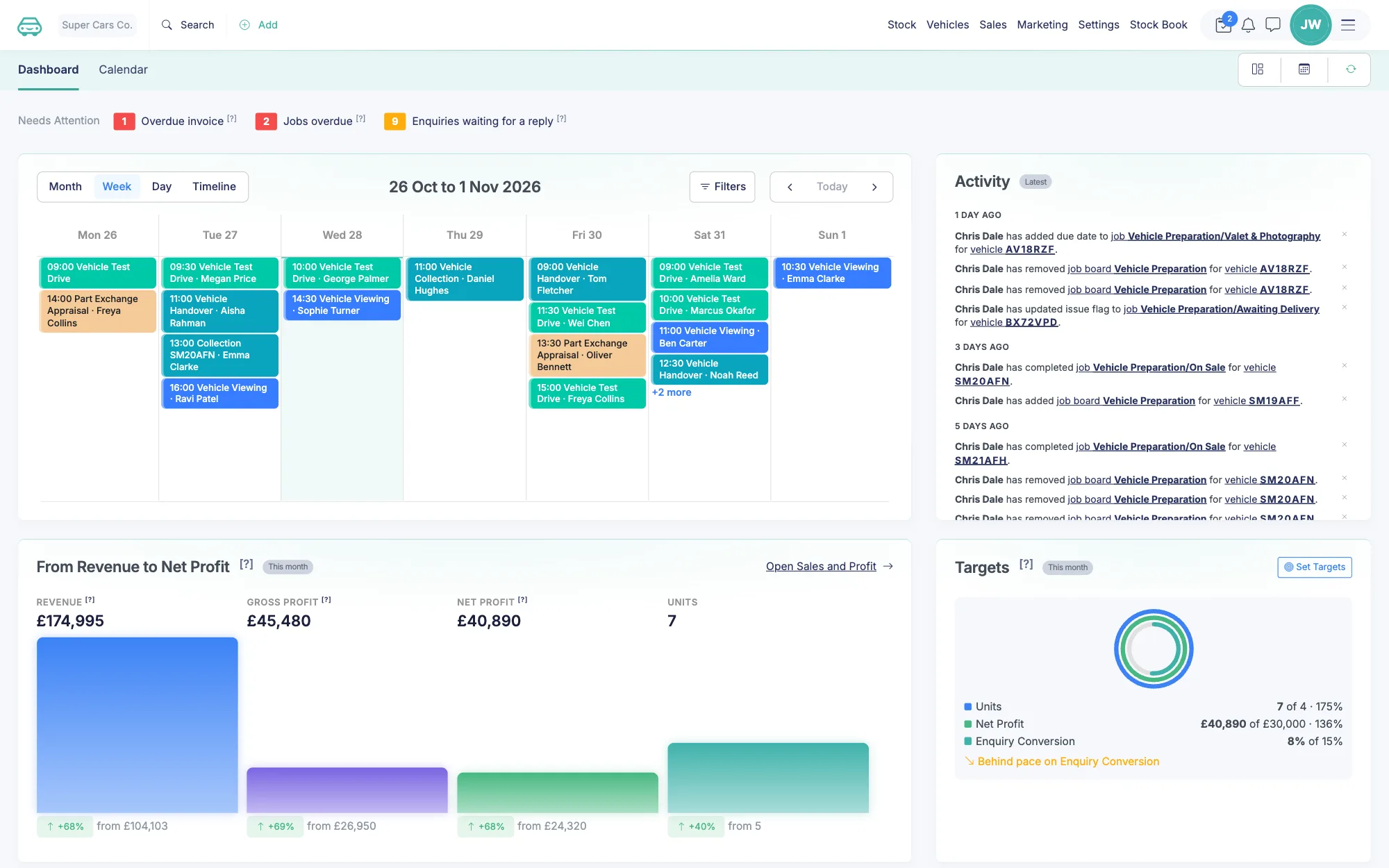
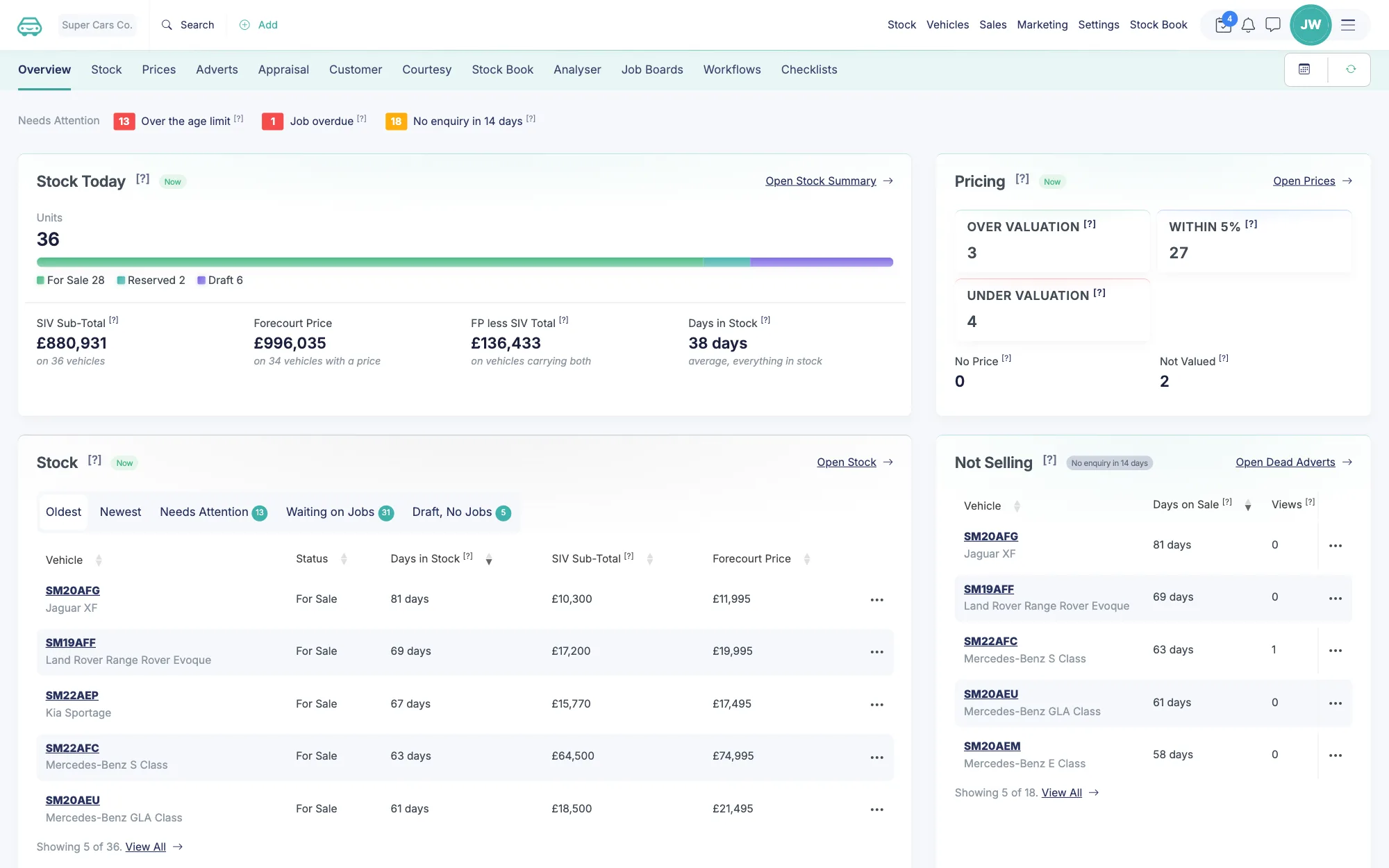
The dashboard: the week's diary, activity, revenue to net profit and targets

On the forecourt you can...

Run the dealership from wherever the job is happening.

  • Photograph a plate and have the car in stock before you're back inside.
  • Shoot the photos with a guide that keeps every car consistent.
  • Walk round with the condition report - offline, if the signal's gone.
  • Appraise the part-exchange while the customer watches.
  • Reply to the 9pm WhatsApp from the sofa.
  • Take the deposit on the terminal and watch it land on the invoice.
  • Get the customer's signature on the handover.
  • Tick off the valet from the wash bay.

Works on whatever's in front of you

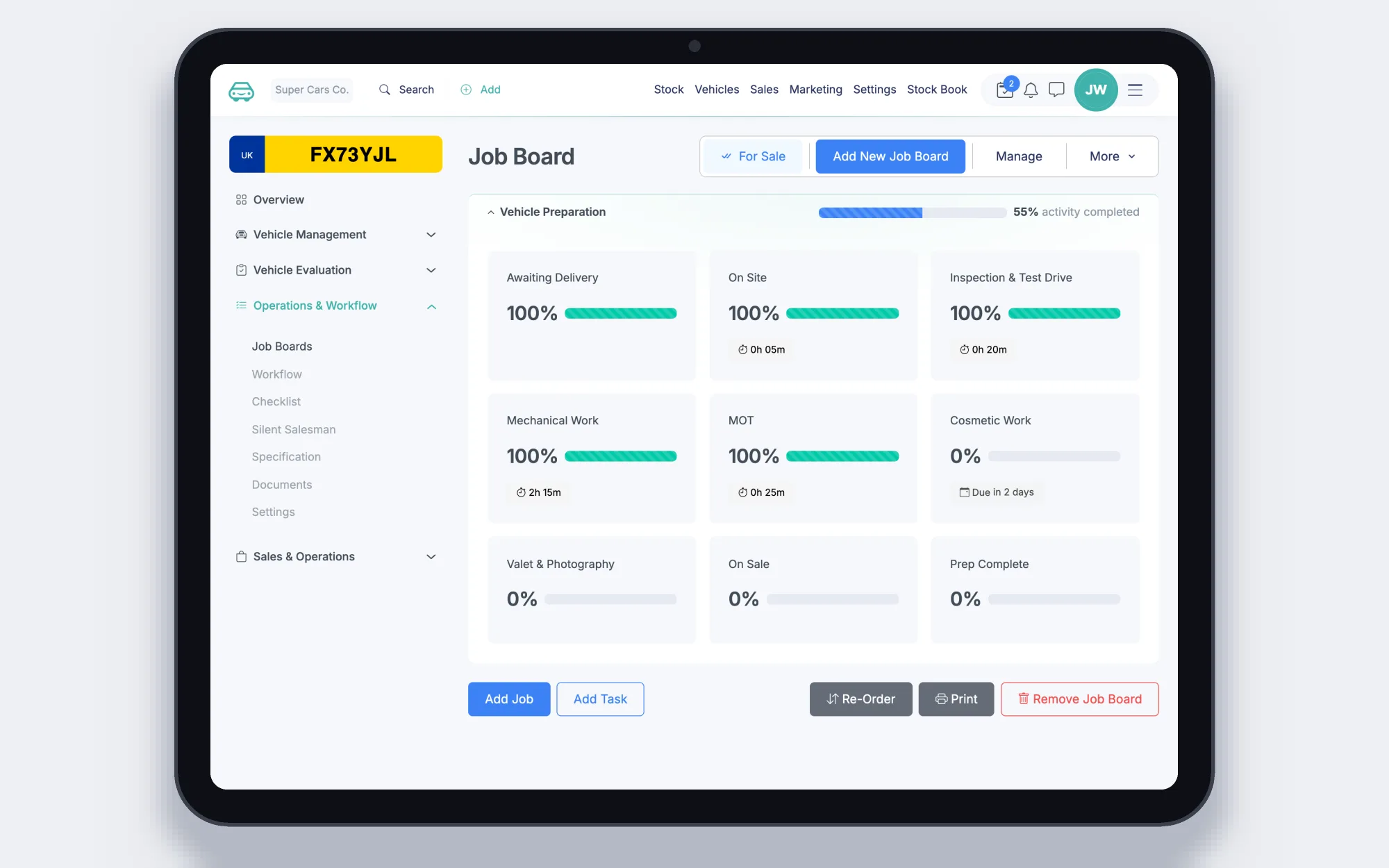
The stock list on a laptop, with each car's job boards and sales channels

Next Page

Team, Support & Platform

Explore Team, Support & Platform
FAQ

Car dealer app questions

Is there a MotorDesk app for iPhone and Android?

Yes - both, plus iPad and Android tablets, with the full MotorDesk platform rather than a cut-down version. Rated 5 out of 5 on both, download it from the App Store or Google Play.

Does the car dealer mobile app have the same features as desktop?

Yes. The mobile apps give you the full MotorDesk platform rather than a stripped-back companion app. The same dealership record, leads, stock, tasks and workflows are available across mobile, desktop and browser.

Is there a desktop app?

Yes, for Mac, Windows and Linux. Or use any browser - there is nothing to install.

Can I run my dealership from my phone?

Add cars, take photos, appraise part-exchanges, reply to every channel, take deposits on a terminal, capture signatures and complete condition reports - yes.

Is MotorDesk suitable as a used car dealer app?

Yes. Used car dealers can use the app for stock, vehicle photos, appraisals, enquiries, sales, handovers and prep while working around the forecourt rather than from one desk.

Does the dealership management app work offline?

Condition reports do, and sync when you are back in range. Everything else needs a connection.

What notifications does the app send?

New enquiries and replies, online reservations and payments, vehicles sold, finance decisions, tasks due, feed errors and accounting sync problems - each to the people whose role it concerns, on phone, desktop and a paired watch, and each opening the right screen when tapped.

Run it from your pocket.

Try the whole platform free for 30 days. No payment details, no contract.

The dealer management system dashboard: the week's diary, activity, revenue to net profit and targets
  • 5.0 Google Reviews
  • 5.0 On Google Play
  • 5.0 App store
  • 5.0 On Capterra
  • EADT Business Awards 2026 - winner, Small Business of the Year Winner
  • AWS Well-Architected Awards 2024 - winner, Most Improved Architecture Winner
  • UK Business Tech Awards 2026 - finalist, SaaS Company of the Year Finalist
  • Motor Trader Independent Dealer Awards 2026 - finalist, IT Innovation of the Year Finalist
  • Motor Trader Commercial Industry Awards 2026 - finalist, IT Innovation of the Year Finalist
  • Motor Trader Independent Dealer Awards 2025 - finalist, IT Innovation of the Year Finalist
  • Motor Trader Independent Dealer Awards 2024 - finalist, IT Innovation of the Year Finalist
Call us 01473 598 100